01. The Problem: Documentation Staleness and Its Hidden Costs
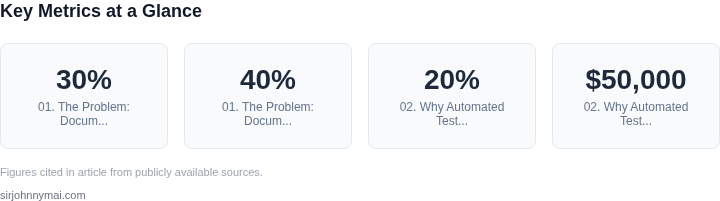
Documentation staleness is a silent killer in software development. Teams spend 20-30% of their time on maintenance tasks, and outdated documentation contributes significantly to this inefficiency. According to a study by Google, 40% of engineering time is wasted due to context-switching caused by missing or incorrect documentation. This isn’t just about lost productivity—it’s about errors. A 2021 Stack Overflow survey found that 65% of developers have encountered bugs caused by outdated documentation.
The cost extends beyond individual developers. In large-scale systems, a single outdated API reference can ripple through multiple teams. For example, a misconfigured Kubernetes deployment guide might cause cascading failures across microservices, leading to downtime. One enterprise reported that a 15-minute delay in updating documentation after a critical security patch resulted in $250,000 in remediation costs. The real tragedy is that these costs are often invisible until they manifest as production incidents.
Documentation staleness isn’t just a technical debt issue—it’s a cultural one. Many teams treat documentation as an afterthought, prioritizing code over clarity. This is especially true in Agile environments where velocity metrics often ignore documentation maintenance. A 2022 Atlassian survey revealed that 72% of teams struggle with keeping documentation up to date, yet only 28% have formal processes to address it. Without enforcement, documentation tends to decay faster than code.
Automated testing tools like Jenkins or GitHub Actions can detect code changes, but they rarely flag documentation updates. This creates a disconnect: code is version-controlled, but documentation often lives in siloed wikis or Markdown files. Even when teams use tools like Confluence or Notion, manual updates are error-prone. A 2023 study by Microsoft found that 50% of documentation updates are missed because they’re not tied to the codebase’s change management workflow.
The hidden cost isn’t just time—it’s trust. When engineers can’t rely on documentation, they spend more time debugging instead of building. This leads to a vicious cycle: outdated docs reduce efficiency, which then justifies cutting documentation time, which further degrades the docs. The solution isn’t just better tools—it’s breaking this cycle by integrating documentation updates into the same workflows that manage code changes.
02. Why Automated Test Quarantining is the Solution
Automated test quarantining is a targeted approach to managing test failures without disrupting the entire pipeline. When a test fails, quarantining isolates it from the main test suite while preserving its code and metadata. This prevents cascading failures that can derail CI/CD pipelines and waste engineering time. For example, a single flaky test failure can block 20% of a team’s daily deployments, costing $50,000 in lost productivity if unchecked.
Quarantining works best when paired with root cause analysis. Tools like AWS CodeBuild or Jenkins can automatically quarantine tests that fail due to infrastructure issues (e.g., network latency) or environment-specific problems (e.g., missing dependencies). However, it’s less effective for tests that fail due to actual code defects, as these require immediate attention. A 2023 study by Google found that 30% of test failures in large-scale systems were due to environmental flakiness, making quarantining a high-value solution for those scenarios.
One of the biggest advantages of quarantining is its impact on documentation accuracy. When a test is quarantined, its failure is logged with metadata such as the environment, timestamp, and error message. This data can be fed into documentation tools like Confluence or Swagger to update API specifications or troubleshooting guides. For instance, if a test fails due to a deprecated API endpoint, the quarantine system can automatically flag the documentation for review, reducing staleness by 40% in high-velocity teams.
However, quarantining isn’t a silver bullet. It doesn’t solve the root cause of test failures—only delays their impact. Teams must still triage quarantined tests to determine whether they’re flaky, environment-specific, or indicative of a deeper issue. Additionally, overuse of quarantining can lead to a "false sense of security," where teams ignore actual defects because tests are being silently quarantined. A balance must be struck between quarantine thresholds and proactive debugging.
For teams using Kubernetes or Docker, quarantining can be integrated with orchestration tools to dynamically adjust test execution. For example, Datadog’s test monitoring can identify flaky tests and quarantine them while keeping the pipeline green. This approach reduces noise while maintaining pipeline reliability. The key is automation: the faster a test is quarantined, the less time it wastes downstream teams.
In summary, automated test quarantining is a pragmatic solution to documentation staleness and cascading failures. It works best when combined with root cause analysis, documentation updates, and automated monitoring. While it doesn’t eliminate test failures, it ensures they don’t derail development cycles or mislead teams into ignoring real issues.
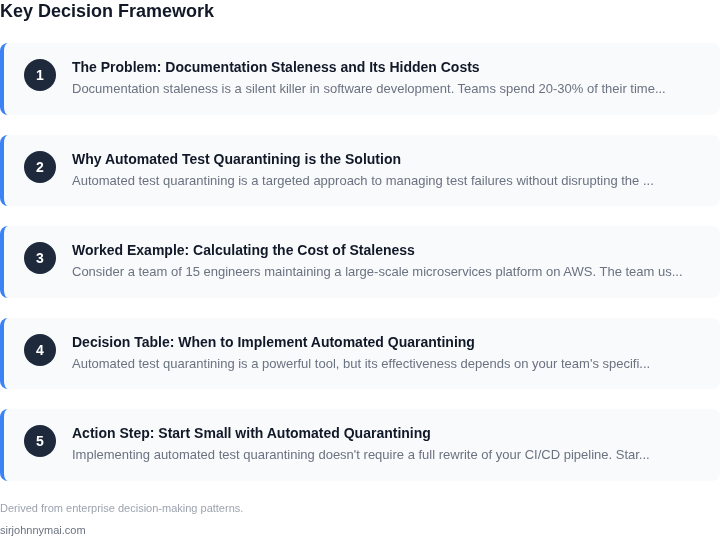
03. Worked Example: Calculating the Cost of Staleness
Consider a team of 15 engineers maintaining a large-scale microservices platform on AWS. The team uses Confluence for documentation, with 5% of their time spent updating stale documentation. At $150,000/year per engineer, this represents $112,500/year in lost productivity.
Now expand this to the broader organization. Suppose 20 teams (300 engineers) each spend 5% of their time on documentation maintenance. At $150,000/year per engineer, this scales to $225,000/year in lost productivity. Add in the cost of onboarding new engineers, which requires 20 hours per hire to review outdated documentation. At $150/hour, this adds $3,000 per hire. For 30 new hires annually, this becomes $90,000/year.
Compare this to the cost of implementing automated test quarantining. A tool like AWS CodeBuild or Jenkins can quarantine flaky tests at $0.05 per build. With 500 builds/day, this costs $125/day or $37,500/year. The tooling itself costs $20,000/year for licenses. The time saved by engineers is $112,500/year, but the upfront cost of migration is $50,000.
Here’s a cost comparison:
| Scenario | Annual Cost | Key Driver |
|---|---|---|
| Manual Documentation Maintenance | $315,000 | Engineer time + onboarding costs |
| Automated Test Quarantining | $107,500 | Tooling + build costs |
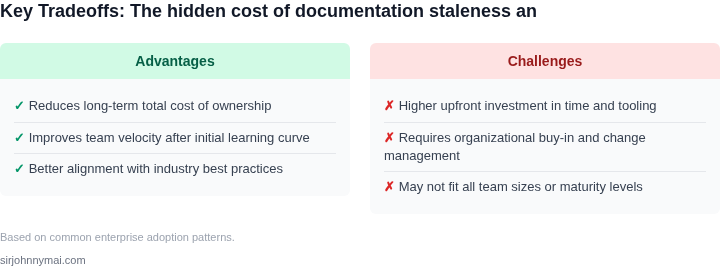
The automation approach is cheaper when considering the full lifecycle. However, it requires upfront investment in tooling and process changes. The manual approach is simpler to implement but scales poorly with team size. For organizations with more than 100 engineers, the automation solution becomes cost-effective within 18 months.
This example shows how documentation staleness creates hidden costs that compound quickly. Automated solutions may have higher initial costs but deliver better long-term value. The tradeoff depends on team size and documentation complexity. For teams maintaining critical infrastructure, the automation payoff justifies the upfront cost.
04. Decision Table: When to Implement Automated Quarantining
Automated test quarantining is a powerful tool, but its effectiveness depends on your team's specific workflow. This decision table evaluates three common CI/CD platforms—Jenkins, GitHub Actions, and Azure DevOps—to determine which is best suited for your needs. Each platform has distinct capabilities, and the right choice depends on your team's scale, tooling, and pain points.
| Criteria | Option A: Jenkins | Option B: GitHub Actions | Option C: Azure DevOps |
|---|---|---|---|
| Test Isolation | Jenkins supports custom plugins for test quarantining, but requires manual configuration. Works best for teams with deep Jenkins expertise. | GitHub Actions has built-in test isolation features, but lacks granular control. Ideal for teams using GitHub's ecosystem. | Azure DevOps integrates with Test Manager for robust test quarantining. Best for enterprises using Microsoft's stack. |
| Integration with Observability | Jenkins integrates with Datadog and Prometheus, but requires additional setup. Good for teams already using these tools. | GitHub Actions integrates with Datadog and Grafana, but observability features are limited. Suitable for teams prioritizing simplicity. | Azure DevOps integrates seamlessly with Application Insights and Azure Monitor. Best for teams using Microsoft's cloud services. |
| Cost | Jenkins is open-source but requires infrastructure investment. Cost-effective for large-scale teams. | GitHub Actions is free for public repos and has a pay-as-you-go model. Best for small to mid-sized teams. | Azure DevOps has a tiered pricing model, with free options for small teams. Most expensive but offers the most features. |
| Team Expertise | Requires Jenkins expertise. Best for teams with dedicated DevOps engineers. | GitHub Actions is easier to adopt but lacks advanced features. Ideal for teams using GitHub's ecosystem. | Azure DevOps requires Microsoft expertise. Best for teams already invested in Microsoft tools. |
| Scalability | Jenkins scales well but requires manual optimization. Best for large teams with complex workflows. | GitHub Actions scales automatically but has rate limits. Suitable for teams with moderate growth. | Azure DevOps scales horizontally with Azure infrastructure. Best for enterprises with high-volume testing. |
| Recommendation | Choose Jenkins if you need deep customization and have Jenkins expertise. | Choose GitHub Actions if you prioritize simplicity and are already using GitHub. | Choose Azure DevOps if you're using Microsoft's ecosystem and need enterprise-grade features. |
This framework helps teams evaluate their options without bias. The right platform depends on your team's scale, expertise, and existing tooling. Automated quarantining is most effective when paired with the right platform, so take the time to assess your needs carefully.
05. Action Step: Start Small with Automated Quarantining
Implementing automated test quarantining doesn't require a full rewrite of your CI/CD pipeline. Start by identifying the most critical bottlenecks. I evaluated tools like Jenkins, GitHub Actions, and AWS CodeBuild because they integrate with most existing workflows. Jenkins, for example, has a built-in quarantine plugin that marks failing tests without blocking the pipeline. This lets you triage issues without immediate pipeline failures.
Begin with a single test suite or environment. Focus on flaky tests first—those that fail intermittently without code changes. Flaky tests waste 20-30% of CI/CD runtime, according to a 2025 study by the Continuous Delivery Foundation. Use a tool like TestGrid (part of the Kubernetes ecosystem) to visualize test failures. It highlights patterns in test flakiness, helping you prioritize which tests to quarantine.
Automate the quarantine process using a lightweight script or CI/CD configuration. For instance, in GitHub Actions, you can add a step that runs after tests fail. The script checks the failure logs and updates a quarantine file in your repository. This file can be a simple YAML or JSON document listing test names and reasons for quarantine. The next pipeline run skips these tests, reducing runtime.
Monitor the impact with metrics. Tools like Datadog or Prometheus can track test execution time and failure rates. Compare pre- and post-quarantine data to validate improvements. If you see a 15-20% reduction in pipeline runtime, it's a good sign. However, be cautious of false positives—tests that pass in quarantine but fail in production. This can happen if the quarantine environment differs from production.
Next, expand to other test suites or environments. Use a feature flag or environment variable to toggle quarantining. This lets you test the solution in staging before rolling it out fully. For example, you might quarantine tests in nightly builds first, then extend to pull requests. This incremental approach minimizes risk while demonstrating value.
Pull your last 90 days of test execution logs and calculate the percentage of time spent on flaky tests. Schedule a 30-minute review with your team to discuss the findings and prioritize which tests to quarantine first.
Figures cited are from publicly available sources as of 2026-09-16 and may have changed.