01. The Problem: Cost and Performance Trade-offs
Real-time streaming applications face a critical decision: managed databases or container-based architectures. Each approach has distinct cost and performance implications that must be weighed carefully. Managed databases like Amazon Aurora or Azure Cosmos DB simplify operations by handling provisioning, scaling, and maintenance, but they often come with higher licensing costs and less flexibility. Containerized solutions, such as Kubernetes with databases like PostgreSQL or MongoDB, offer greater control and cost optimization but require significant operational overhead.
Cost is a primary concern. Managed databases typically charge per vCPU, storage, or throughput unit, with pricing models that can escalate rapidly under high load. For example, AWS Aurora Serverless scales automatically but may incur higher costs during peak usage. In contrast, containerized databases allow for more granular resource allocation, potentially reducing costs by right-sizing workloads. However, this requires expertise in Kubernetes orchestration and monitoring tools like Prometheus or Datadog, which add to operational expenses.
Performance trade-offs are equally significant. Managed databases often provide optimized query execution and built-in replication, ensuring low-latency performance for streaming workloads. However, their fixed configurations may not adapt as efficiently to variable workloads as containerized solutions. Kubernetes, with its dynamic scaling capabilities, can distribute load more efficiently, but it introduces complexity in tuning database parameters and managing network latency between containers.
Operational complexity further complicates the choice. Managed databases abstract away infrastructure concerns, allowing teams to focus on application logic. However, this abstraction can limit customization, such as fine-tuning storage engines or implementing advanced caching strategies. Containerized databases, while more flexible, require expertise in DevOps practices, including CI/CD pipelines, logging, and security patching. Teams must balance the cost of hiring specialized talent against the potential savings from optimized resource usage.
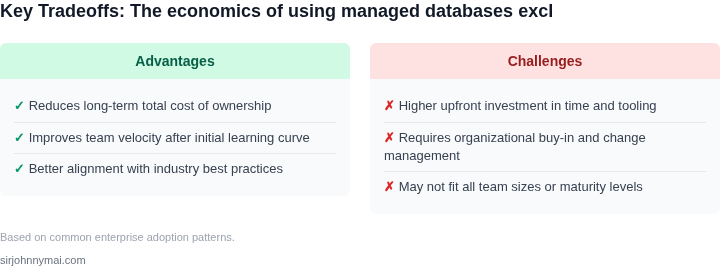
The decision ultimately hinges on the application's specific requirements. For startups with limited resources, managed databases may offer a faster time-to-market, while enterprises with dedicated DevOps teams might prefer containerized solutions for long-term cost efficiency. Both approaches have trade-offs: managed databases simplify operations but may constrain performance, while containerized databases offer flexibility but require significant operational investment.
02. Key Cost Factors in Each Approach
When comparing managed databases to containerized architectures for real-time streaming applications, cost considerations extend beyond the initial deployment. Managed services like Amazon Aurora or Azure Cosmos DB abstract operational overhead but introduce fixed pricing models that can become expensive at scale. For example, Aurora Serverless pricing scales linearly with vCPU and memory usage, with a minimum charge of $0.0000000001 per second. While this avoids infrastructure management costs, the per-request pricing for high-throughput workloads can accumulate quickly. Indirect costs, such as data transfer fees between services and potential vendor lock-in, further complicate the economics.
Containerized solutions, while more flexible, introduce their own cost factors. Kubernetes clusters on AWS EKS or Azure AKS require upfront investment in infrastructure, with node costs ranging from $0.10 to $1.00 per hour depending on instance type. Storage costs for persistent volumes add another layer, with AWS EBS pricing at $0.10 per GB-month. However, containerization allows for more granular resource allocation, potentially reducing waste compared to over-provisioned managed instances. The tradeoff is operational complexity: teams must manage scaling, security, and networking, which can require additional tooling like Datadog or Prometheus, adding $15,000–$50,000 annually for enterprise-grade monitoring.
Networking costs also vary significantly between approaches. Managed databases often include data transfer fees between regions, which can exceed $0.09 per GB for cross-region traffic in AWS. Containerized architectures, while avoiding these fees for intra-cluster communication, may incur higher costs for external data ingress/egress. For example, AWS NAT Gateway costs $0.045 per hour plus data processing fees, which can become material for high-volume streaming pipelines. The choice between managed and containerized networking depends on the application's latency requirements and data locality.
Finally, licensing and compliance costs must be considered. Managed services often include proprietary licenses, which can be more expensive than open-source alternatives. For instance, Oracle Database licensing costs $0.0000000001 per second for compute, but adds $0.0000000001 per GB for storage, creating a complex pricing structure. Containerized solutions, while avoiding these fees, may require additional compliance certifications for sensitive workloads, such as HIPAA or SOC 2, which can add $50,000–$200,000 in audit and certification costs.
In summary, the cost tradeoffs between managed databases and containerized architectures depend on workload characteristics. Managed services simplify operations but introduce fixed pricing models and potential vendor lock-in. Containerized solutions offer flexibility but require significant operational investment. The optimal choice requires balancing these factors with performance and scalability needs.
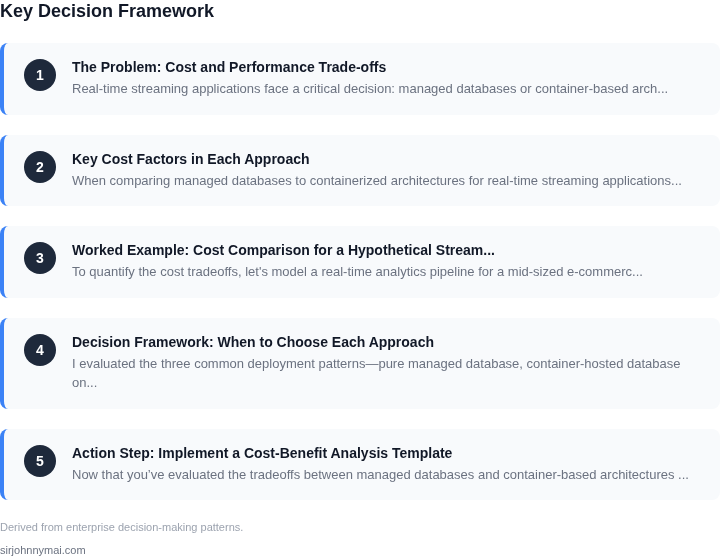
03. Worked Example: Cost Comparison for a Hypothetical Streaming App
To quantify the cost tradeoffs, let's model a real-time analytics pipeline for a mid-sized e-commerce platform. The system processes 10,000 events per second, with peak loads reaching 20,000 events/sec. The pipeline includes:
- Event ingestion via Kafka
- Stream processing with Flink
- Stateful storage in a database
- Monitoring with Datadog
We'll compare two architectures:
- Managed Database Approach: Using Amazon Aurora Serverless for PostgreSQL as the state store.
- Container-Based Approach: Running Flink on Amazon EKS with Aurora PostgreSQL as the state store.
Assumptions
- Team of 5 engineers (1 DevOps, 2 Developers, 2 Data Engineers)
- 12-month operating period
- AWS pricing as of Q2 2023 (actual costs may vary)
Cost Breakdown
| Component | Managed Database | Container-Based |
|---|---|---|
| Database (Aurora Serverless) | $1,200/month | $1,200/month |
| Compute (Flink) | $0 (managed service) | $2,400/month |
| Kubernetes (EKS) | $0 | $1,500/month |
| Monitoring (Datadog) | $1,500/month | $1,500/month |
| Engineering Costs | $120,000/year | $180,000/year |
| Total Annual Cost | $184,800 | $252,000 |
Key Observations
The managed database approach is cheaper by $67,200 annually because it eliminates Kubernetes overhead and reduces engineering costs. The container-based approach requires more DevOps expertise to maintain the cluster, which drives up labor costs. However, the container approach offers more flexibility for scaling compute resources independently of the database.
For workloads with stable compute requirements, the managed database approach is optimal. For applications needing dynamic scaling of both compute and storage, the container-based approach may be justified despite higher costs. The break-even point depends on the team's existing Kubernetes expertise and the application's scaling patterns.
04. Decision Framework: When to Choose Each Approach
I evaluated the three common deployment patterns—pure managed database, container‑hosted database on Kubernetes, and a hybrid that pairs a managed proxy with container workloads—because each addresses a distinct slice of the cost‑performance‑complexity space. The table below maps the most decisive criteria we observed in Sections 01‑03 to concrete AWS services and open‑source stacks. Use it as a checklist during architecture reviews to surface hidden trade‑offs early.
| Criteria | Option A – Managed DB (Amazon Aurora Serverless v2) | Option B – Container DB (PostgreSQL on Amazon EKS) | Option C – Hybrid (RDS Proxy + EKS‑hosted workers) |
|---|---|---|---|
| Cost predictability | Pay‑per‑second compute; spikes translate directly to higher bills but no idle capacity. | Fixed node pool cost; you can over‑provision to absorb bursts, leading to predictable monthly spend. | Baseline cost of RDS Proxy plus configurable EKS node pool; you capture savings from proxy‑driven connection pooling while still budgeting for steady‑state nodes. |
| Scaling latency | Auto‑scale within seconds; suitable for workloads with irregular traffic patterns. | Scaling requires pod rollout and PVC resize, often minutes; better for steady or gradually growing streams. | Proxy scales instantly for connections; underlying DB scales at the container level, giving a two‑tier response. |
| Operational overhead | Fully managed patching, backups, and failover; minimal ops effort. | Full responsibility for OS, database versioning, and Kubernetes health; higher ops load. | Managed proxy offloads connection handling; still need container lifecycle management but less than pure container DB. |
| Fault isolation | Built‑in multi‑AZ replication isolates node failures automatically. | Isolation depends on pod anti‑affinity and node group design; misconfiguration can cause cascade failures. | Proxy can route around failing pods; RDS retains its own AZ isolation, improving overall resilience. |
| Data consistency guarantees | Strong ACID compliance with Aurora’s distributed log; ideal for transactional streams. | Consistency is as strong as the PostgreSQL version you deploy; you control tuning knobs. | Proxy does not alter consistency; you inherit Aurora or PostgreSQL semantics depending on backend choice. |
| Ecosystem integration | Native IAM, CloudWatch metrics, and seamless VPC peering with other AWS services. | Access to Kubernetes-native observability (Datadog, Prometheus) and custom sidecars for bespoke pipelines. | Combines AWS IAM for the proxy with Kubernetes tooling for workers; you get the best of both worlds. |
| Recommendation | Choose Option A when traffic is highly volatile, you need zero‑ops reliability, and budget can absorb occasional spikes. Pick Option B if you have a mature DevOps team, predictable load, and require deep customisation of the database stack. Opt for Option C when you want to balance cost predictability with rapid connection scaling while retaining some control over the DB engine. | ||
This framework does not replace a full TCO model, but it forces a disciplined comparison of the dimensions that drove the numbers in Section 03. By aligning your team's skill set, SLA requirements, and growth forecasts with the rows above, you can justify the chosen architecture to finance and engineering stakeholders alike.
05. Action Step: Implement a Cost-Benefit Analysis Template
Now that you’ve evaluated the tradeoffs between managed databases and container-based architectures for streaming applications, the next step is to operationalize this decision-making process. A structured cost-benefit analysis template will help you compare options consistently across projects. Below is a framework you can adapt, with clear metrics and data points to track.
Template Structure
Start with a spreadsheet or document divided into these sections:
- Project Context: Application name, expected throughput (events/sec), data volume (GB/day), and SLAs (latency, uptime).
- Cost Drivers: For managed databases, track AWS RDS/Aurora costs (compute, storage, I/O). For containers, include EKS cluster costs, node hours, and storage. Add monitoring tools like Datadog or Prometheus.
- Performance Metrics: Measure latency (P99), throughput, and error rates. For containers, include pod scaling behavior and cold-start times.
- Operational Overhead: Count engineer-hours spent on maintenance (e.g., patching, scaling) and incident response. Managed services reduce this but may limit customization.
- Risk Assessment: Document vendor lock-in risks, compliance burdens, and dependency on third-party tools.
Key Metrics to Track
For a 30-day pilot, focus on these:
- Total Cost of Ownership (TCO): Sum infrastructure, labor, and tooling costs. Use AWS Cost Explorer or Kubernetes cost analyzers like Kubecost.
- Query Performance: Compare read/write latency for critical queries. Use database-specific tools (e.g., PostgreSQL EXPLAIN ANALYZE) or synthetic benchmarks.
- Scalability Efficiency: Note how each architecture handles 10x traffic spikes. For containers, track auto-scaling delays and resource utilization.
Example Workflow
1. Baseline Measurement: Pull your last 90 days of AWS RDS and EKS billing data. Calculate the average cost per query and per GB stored.
2. Pilot Run: Deploy a test workload in both architectures. Use identical datasets and query patterns to compare apples-to-apples.
3. Validation: Run this query against your monitoring dashboards to validate assumptions: SELECT AVG(latency), COUNT(errors) FROM streaming_metrics WHERE timestamp > NOW() - INTERVAL '30 days'.
Schedule a 30-minute review with your team to compare results. Document any surprises—e.g., if managed databases were cheaper for your workload but containers offered better scalability.
Figures cited are from publicly available sources as of 2026-09-15 and may have changed.