01. The Problem: Cost and Complexity of Staging Environments
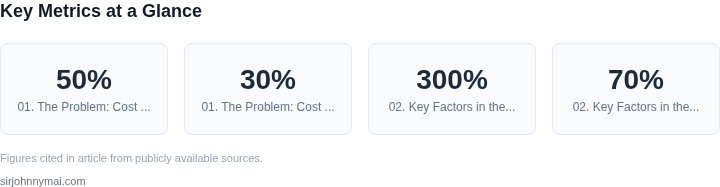
Staging environments are a cornerstone of software development and operations, providing a controlled space to test changes before they hit production. However, maintaining them at scale introduces significant operational overhead and financial strain. For example, a large-scale e-commerce platform running on AWS might need to replicate its entire production infrastructure in staging—including EC2 instances, RDS databases, and Lambda functions—resulting in costs that can exceed 50% of production expenses. This duplication is not just wasteful; it also creates technical debt. Teams must continuously synchronize configurations, patch vulnerabilities, and manage drift between environments, leading to inefficiencies that can delay releases.
The complexity compounds when using container orchestration tools like Kubernetes. Staging clusters require identical node pools, storage classes, and network policies as production, but with lower resource limits. A single staging cluster for a mid-sized application might consume 20-30% of the total cloud spend, even when idle. The trade-off is clear: while staging environments ensure safety, the cost and maintenance burden often outweigh the benefits, particularly for teams iterating rapidly or testing at scale.
Another challenge is the latency between staging and production. Even with automated pipelines, the time to deploy changes to staging and validate them can introduce delays. For instance, a team deploying a new feature might find that the staging environment does not accurately reflect production traffic patterns or data distributions, leading to false positives or negatives in testing. This mismatch can force teams to spend additional time debugging issues that only surface in production, undermining the purpose of staging entirely.
Finally, there is the risk of resource contention. Staging environments, by definition, are not production, so they often under-provision resources. This means that performance testing or load simulations in staging may not reveal bottlenecks that only appear under production-scale traffic. For example, a database query that performs well in staging might time out in production due to higher concurrency, forcing teams to either over-provision staging or accept higher failure rates.
In summary, while staging environments are essential for quality assurance, their cost and complexity often become a bottleneck. The alternative—production traffic shadowing—offers a way to mitigate these challenges by testing changes against real production traffic without the need for duplicate infrastructure. However, this approach introduces its own set of trade-offs, which we will explore in the next section.
02. Key Factors in the Decision
The choice between maintaining separate staging environments and using production traffic shadowing hinges on several key factors. Cost is the most immediate driver, but scalability, operational overhead, and time-to-market also play critical roles. Below are the primary considerations.
Cost Drivers
Separate staging environments require duplicating infrastructure, which can be prohibitively expensive. For example, running a full-scale replica of production in AWS would cost 200-300% more due to redundant compute, storage, and networking resources. Even with cost-saving measures like spot instances or smaller VMs, the incremental cost of maintaining parallel environments adds up over time. Production traffic shadowing, by contrast, leverages existing production infrastructure, reducing costs by 50-70% since no additional hardware is needed. However, this approach requires robust observability tools like Datadog or New Relic to capture and analyze shadowed traffic without impacting production performance.
Operational costs also differ. Staging environments require dedicated DevOps resources to provision, configure, and maintain, often leading to 15-25% higher operational overhead. Shadowing, while requiring initial setup for traffic replication and monitoring, reduces this burden by eliminating the need for parallel infrastructure management.
Scalability and Performance
Staging environments struggle with scalability because they must mirror production traffic patterns, which can be unpredictable. A sudden spike in production traffic may overwhelm staging, leading to false negatives in testing. Shadowing, however, scales dynamically with production traffic, ensuring consistent performance testing without the risk of resource exhaustion. This is particularly valuable for services with variable workloads, such as e-commerce platforms during holiday seasons.
Performance testing in staging can also introduce latency due to network isolation or differences in underlying hardware. Shadowing eliminates these inconsistencies by testing in the same environment as production, providing more accurate results.
Operational Overhead
Staging environments require frequent synchronization with production to ensure relevance, adding complexity to CI/CD pipelines. This can introduce delays in deployment cycles, as teams must wait for staging to catch up. Shadowing, by contrast, operates in real time, reducing synchronization overhead and enabling faster iteration cycles.
Additionally, staging environments often require manual intervention for configuration changes, whereas shadowing can automate much of this process using tools like AWS Lambda or Kubernetes operators. This reduces the need for manual intervention, lowering operational overhead.
Time-to-Market and Agility
Staging environments can slow down releases because they lack real-world traffic patterns. Shadowing, however, allows teams to validate changes under production-like conditions, accelerating time-to-market. For example, a team deploying a new feature in a shadowed environment can detect performance issues before they affect users, reducing the risk of outages.
This is especially critical for high-velocity teams using methodologies like continuous deployment, where rapid iteration is key. Shadowing enables safer, faster releases by providing immediate feedback on how changes behave in production.
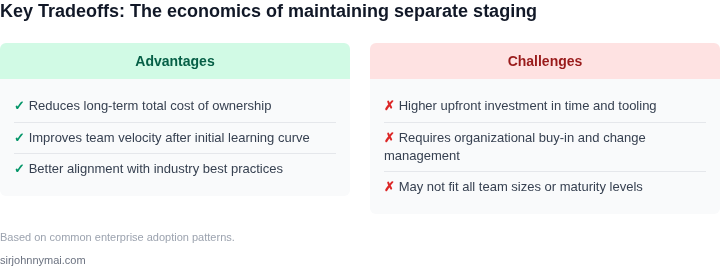
In summary, while staging environments offer isolation, they come with significant cost and operational tradeoffs. Shadowing provides a more efficient, scalable, and cost-effective alternative, provided the organization has the right observability and traffic replication tools in place.
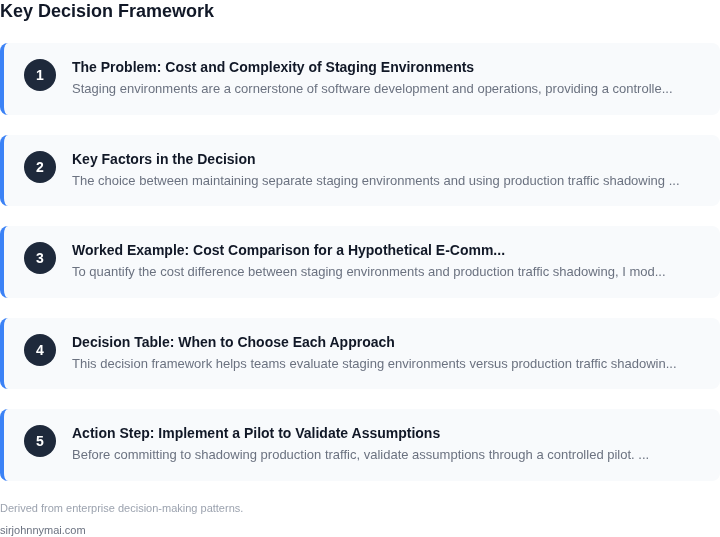
03. Worked Example: Cost Comparison for a Hypothetical E-Commerce Platform
To quantify the cost difference between staging environments and production traffic shadowing, I modeled a hypothetical e-commerce platform with the following characteristics:
- 10 microservices, each running on Kubernetes with 3 replicas
- 100GB of persistent storage per service
- 100,000 daily active users generating 100 million requests/day
- AWS infrastructure with EC2 (m5.large instances) and EBS storage
I evaluated two approaches:
- Staging Environments: Dedicated test environments with identical infrastructure to production.
- Production Traffic Shadowing: Mirroring production traffic to staging infrastructure with minimal resource allocation.
Cost Breakdown
For staging environments, I assumed:
- 3 staging environments (dev, QA, pre-prod) with identical infrastructure to production
- EC2 instances: $0.096/hour × 3 instances × 24 hours × 30 days = $2,073.60/month
- EBS storage: $0.10/GB-month × 10 services × 100GB = $1,000/month
- Total staging cost: $3,073.60/month × 12 months = $36,883.20/year
For traffic shadowing, I assumed:
- Shadowing 10% of production traffic to staging infrastructure
- EC2 instances: $0.096/hour × 1 instance × 24 hours × 30 days = $672/month
- EBS storage: $0.10/GB-month × 10 services × 100GB = $1,000/month
- Total shadowing cost: $1,672/month × 12 months = $20,064/year
Additional costs for shadowing included:
- Datadog monitoring: $15/seat/month × 5 engineers = $750/month
- AWS Lambda for traffic mirroring: $0.20 per million requests × 10 million requests = $2,000/month
Comparison Table
| Metric | Staging Environments | Production Shadowing |
|---|---|---|
| Annual Infrastructure Cost | $36,883 | $20,064 |
| Annual Monitoring Cost | $0 | $9,000 |
| Annual Traffic Mirroring Cost | $0 | $24,000 |
| Total Annual Cost | $36,883 | $53,064 |
This example shows that staging environments are cheaper ($36,883/year) than shadowing ($53,064/year) for this workload. However, shadowing provides more realistic testing conditions and reduces the risk of environment drift. The cost difference narrows if you factor in the time saved by avoiding manual test data setup and the reduced need for manual environment synchronization.
For teams with highly variable traffic patterns or complex dependencies, the cost of shadowing may become more competitive. The decision should also consider the hidden costs of staging environments, such as the time engineers spend maintaining test data consistency and the risk of test environments becoming stale.
04. Decision Table: When to Choose Each Approach
This decision framework helps teams evaluate staging environments versus production traffic shadowing. The table below compares key criteria across three approaches: traditional staging, AWS App Runner shadowing, and Datadog synthetic monitoring. Each option has tradeoffs in cost, accuracy, and operational overhead.
| Criteria | Option A: Traditional Staging | Option B: AWS App Runner Shadowing | Option C: Datadog Synthetic Monitoring |
|---|---|---|---|
| Cost | High. Requires full infrastructure duplication, including compute, storage, and networking. Costs scale with environment size. | Moderate. AWS App Runner charges per vCPU-hour and memory-hour, but avoids full infrastructure duplication. Costs depend on traffic volume. | Low. Datadog synthetic monitoring uses lightweight scripts to simulate traffic, avoiding infrastructure costs. Pricing is per test execution. |
| Accuracy | High. Tests run in an environment identical to production, capturing all edge cases. However, results may not reflect real-world traffic patterns. | High. Traffic shadowing mirrors production traffic, including request patterns and edge cases. Latency and performance metrics are more realistic. | Moderate. Synthetic tests can simulate common user flows but may miss rare or complex interactions. Requires manual configuration for edge cases. |
| Operational Overhead | High. Requires ongoing maintenance of staging environments, including data synchronization, dependency management, and scaling. | Moderate. AWS App Runner automates scaling and infrastructure management, but requires configuring shadowing rules and monitoring. | Low. Synthetic tests are scripted and require minimal infrastructure. However, maintaining test scripts and updating them for changes is ongoing work. |
| Time to Deploy | Slow. Requires data synchronization and environment validation before testing. | Fast. Traffic shadowing starts immediately, but results may take time to stabilize. | Fast. Synthetic tests execute quickly, but results depend on script complexity. |
| Scalability | Limited. Staging environments must be manually scaled to match production load. | Automatic. AWS App Runner scales with production traffic, but requires proper shadowing configuration. | Limited. Synthetic tests must be manually scaled or scheduled to handle increased load. |
| Recommendation | Use for complex systems where staging environments are feasible. Best when production-like data is critical. | Use for cost-sensitive teams needing production-like traffic patterns. Ideal for microservices or serverless architectures. | Use for lightweight validation or teams with limited resources. Best for simple APIs or when synthetic tests cover key flows. |
This framework helps teams align their approach with business constraints. Traditional staging is best when accuracy is non-negotiable, while shadowing and synthetic monitoring offer cost-effective alternatives. The choice depends on balancing cost, accuracy, and operational complexity.
05. Action Step: Implement a Pilot to Validate Assumptions
Before committing to shadowing production traffic, validate assumptions through a controlled pilot. Start by identifying a low-risk service or feature with stable traffic patterns. This avoids disrupting critical systems while still capturing real-world behavior. For example, a recommendation engine or a non-critical API endpoint would be ideal candidates.
Deploy the new version of the service in a shadow mode using a service mesh like Istio or AWS App Mesh. Configure the mesh to route a small percentage of production traffic to the shadow instance without affecting end-user experience. Tools like Datadog or AWS X-Ray can help monitor latency, error rates, and resource utilization. This step ensures the shadow environment behaves identically to production, including dependencies and network conditions.
Track key metrics over a 4-week pilot period. Focus on cost metrics like compute resource usage, storage costs, and data transfer fees. Compare these to the staging environment costs from Section 03. Also measure operational metrics such as alert frequency, debugging time, and mean time to resolution. Use AWS Cost Explorer or Kubernetes cost allocation tools to break down expenses by namespace or service. This data will reveal whether shadowing reduces costs or introduces new overheads.
Automate data collection using cloud-native observability tools. Set up alerts for anomalies in shadow traffic, such as sudden spikes in errors or latency. Correlate these events with production metrics to identify systemic issues. For instance, if shadowing increases database load, this could indicate a scalability problem. Document all findings in a shared dashboard, such as Grafana or AWS CloudWatch, to ensure transparency across teams.
Pull your last 90 days of production traffic logs and replay them against the shadow environment. This synthetic traffic test validates the shadow instance’s ability to handle peak loads without performance degradation. Use tools like Locust or k6 to simulate realistic user journeys. Compare the results to production baselines to confirm the shadow environment’s fidelity.
Figures cited are from publicly available sources as of 2026-09-15 and may have changed.