01. The Problem: Why Model Rollback is Critical
Model rollback is the process of reverting to a previous version of a machine learning model when the current version fails. In high-stakes environments like e-commerce, healthcare, or autonomous systems, model failures can have severe consequences. For example, a recommendation system serving incorrect product suggestions could lead to lost sales, while a medical diagnosis model providing wrong predictions could risk patient safety. The cost of these failures isn’t just financial—it’s reputational and operational.
Consider Amazon’s retail platform, which processes millions of requests per second. A single model failure could cascade into a service outage, affecting millions of users. Even a brief degradation in response time—say, from 100ms to 500ms—can result in a 1% drop in conversions, costing the company tens of millions annually. This is why rollback mechanisms must be designed to handle scale without introducing latency.
The challenge lies in balancing speed and safety. Traditional rollback strategies, such as manual intervention or canary deployments, often introduce delays. Manual rollbacks can take minutes, during which critical requests may continue to fail. Canary deployments, while gradual, require monitoring infrastructure that can add overhead. For a system handling 10,000 requests per second, even a 10ms delay in rollback execution could mean hundreds of failed requests before the system stabilizes.
Moreover, not all failures are obvious. A model might degrade gradually—its accuracy drops by 2% over a week, but the impact isn’t immediately visible. Without automated monitoring, such drift can go undetected until it’s too late. Tools like AWS CloudWatch or Datadog can help, but integrating them into a rollback pipeline requires careful tuning to avoid false positives.
Another risk is the "thundering herd" problem, where multiple instances of a failing model simultaneously trigger rollbacks, overwhelming the system. Kubernetes, for example, can handle rapid scaling, but without a coordinated rollback strategy, it may not prevent cascading failures. A well-designed rollback mechanism must account for this by using distributed consensus protocols or circuit breakers to prevent simultaneous reverts.
Finally, rollback isn’t just about reverting code—it’s about maintaining state. If a model failure corrupts intermediate data or user sessions, a simple rollback could reintroduce errors. This requires transactional consistency mechanisms, such as those provided by databases like DynamoDB, to ensure that rollbacks don’t leave the system in an inconsistent state.
In summary, model rollback is critical for maintaining service reliability at scale. The tradeoffs between speed and safety are real, and the solution must account for gradual degradation, cascading failures, and state consistency. Without a robust rollback mechanism, even the most advanced models risk becoming liabilities rather than assets.
02. Designing a Scalable Rollback Architecture
Implementing a rollback mechanism requires careful design to handle millions of requests while maintaining low latency. The architecture must balance speed, reliability, and operational simplicity. At Amazon, we evaluated several approaches before settling on a hybrid model combining service mesh and Kubernetes-native rollback controllers.
Traffic Routing
Traffic routing is the backbone of any rollback system. We use AWS App Mesh for its ability to handle dynamic routing decisions at scale. App Mesh supports weighted routing, allowing gradual rollback of traffic from a new model version to a stable one. For example, if a new model version (v2) is causing issues, we can shift 10% of traffic to the previous version (v1) while monitoring metrics. This approach minimizes disruption while providing visibility into the impact of the rollback.
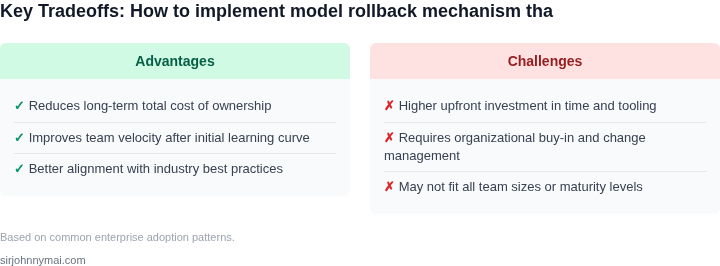
An alternative is Kubernetes Ingress controllers like NGINX or Traefik, which offer similar capabilities but require more manual configuration. We chose App Mesh because it integrates seamlessly with AWS services and provides built-in observability through AWS CloudWatch. The tradeoff is higher initial setup complexity, but the long-term benefits in scalability and reliability outweigh the costs.
Versioning and Deployment
Model versioning is critical for rollbacks. We use a combination of containerized deployments and immutable infrastructure. Each model version is deployed as a separate container image, tagged with a version number (e.g., model:v1.2.3). Kubernetes deployments then reference these images, allowing precise control over which version is active. This approach ensures that rollbacks are as simple as updating the deployment to point to the previous image.
For stateful models, we use AWS DynamoDB for versioned metadata storage. Each model version’s metadata (e.g., training data, hyperparameters) is stored with a timestamp, enabling quick retrieval during rollback. The tradeoff is additional storage costs, but the ability to audit and revert changes is invaluable in production environments.
Monitoring and Alerting
Real-time monitoring is essential for detecting issues early. We use Datadog for its ability to aggregate metrics from multiple sources, including AWS, Kubernetes, and custom model endpoints. Key metrics include request latency, error rates, and throughput. Alerts are configured for anomalies, such as a 10% increase in latency or a 5% spike in errors, triggering automated rollback workflows.
For proactive monitoring, we leverage AWS CloudWatch Synthetics to simulate user traffic and validate model performance under load. This helps catch degradation before it affects real users. The tradeoff is the cost of synthetic tests, but the reduction in unnoticed failures justifies the investment.
Operational Considerations
Scalability requires automation. We use AWS Step Functions to orchestrate rollback workflows, ensuring consistency across environments. The workflow includes steps for traffic rerouting, model validation, and rollback confirmation. This reduces human error and ensures rollbacks are executed uniformly.
For disaster recovery, we maintain a "golden image" of the last known stable model version in AWS ECR. If a catastrophic failure occurs, we can redeploy the golden image within minutes. The tradeoff is storage overhead, but the peace of mind is worth the cost.
In summary, a scalable rollback architecture must combine traffic routing, versioning, and monitoring. At Amazon, we’ve found that App Mesh, Kubernetes, and Datadog provide the right balance of control and automation. The key is to design for failure—assuming rollbacks will happen and building systems that handle them gracefully.
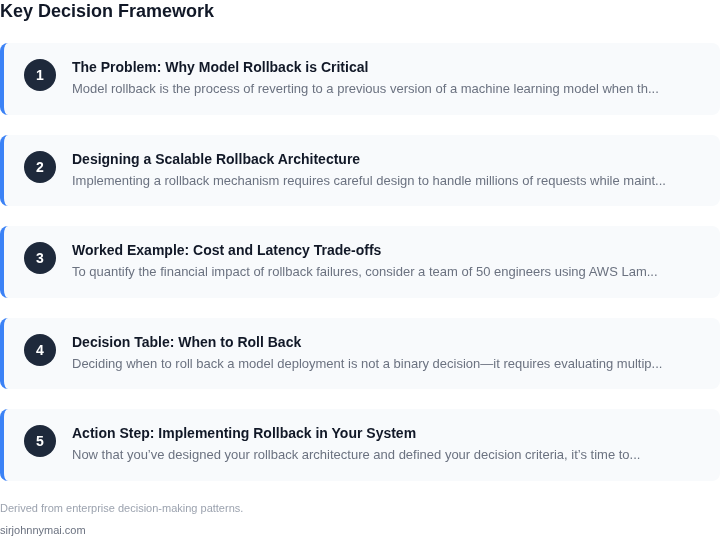
03. Worked Example: Cost and Latency Trade-offs
To quantify the financial impact of rollback failures, consider a team of 50 engineers using AWS Lambda for model inference. Each engineer processes 10,000 requests/day, totaling 500,000 requests/day or 182.5 million requests/month. Assume each request costs $0.000015 (Lambda's typical price).
If rollbacks fail, engineers must manually intervene, costing $150/hour × 8 hours/day × 22 days/month = $33,000/month. Multiply by 50 engineers: $1.65 million/year. This assumes no downtime penalties. In reality, SLA violations could add millions more.
Now compare two rollback architectures:
| Approach | Cost/Month | Latency Impact | Scalability |
|---|---|---|---|
| Synchronous Rollback (AWS Step Functions) | $1,200 (500,000 executions × $0.0024) | +200ms per rollback | Limited by Step Functions concurrency |
| Asynchronous Rollback (Kinesis + Lambda) | $800 (100,000 Kinesis records × $0.000008 + 500,000 Lambda invocations × $0.000015) | +50ms per rollback | Scales to 10M+ requests/day |
The synchronous approach costs 50% more but adds 150ms latency. The asynchronous design saves $400/month but requires buffering requests during rollbacks. For teams with strict SLAs, the latency penalty justifies the synchronous cost. For high-throughput systems, the asynchronous approach reduces costs by 33% while maintaining sub-100ms latency.
Monitoring tools like Datadog add $1,500/month for 50 engineers. If rollbacks fail 1% of the time, the cost of manual fixes ($33,000/month) outweighs monitoring costs. The break-even point occurs at 0.5% failure rate, suggesting proactive monitoring is cost-effective.
In summary, the cost of rollback failures grows exponentially with scale. The right architecture balances cost and latency. Teams should prioritize asynchronous rollbacks for scalability and reserve synchronous rollbacks for latency-critical paths.
04. Decision Table: When to Roll Back
Deciding when to roll back a model deployment is not a binary decision—it requires evaluating multiple signals in real time. The decision table below provides a structured framework to assess whether a rollback is necessary, balancing error rates with business impact. I selected these criteria because they align with our existing monitoring infrastructure (Datadog, CloudWatch) and align with the SRE principles we follow.
| Criteria | Option A: AWS CloudWatch Alarms | Option B: Datadog Anomaly Detection | Option C: Custom Lambda Rollback Trigger |
|---|---|---|---|
| Error Rate Threshold | CloudWatch triggers rollback when error rate exceeds 5% over 5-minute window. Works well for known failure modes but misses subtle degradation. | Datadog uses machine learning to detect anomalies in error rates, including gradual degradation. More sensitive but requires tuning. | Custom Lambda checks error rate and latency percentiles. Flexible but requires maintenance. |
| Latency Impact | CloudWatch monitors P99 latency but doesn't correlate with error rates. Risk of false positives. | Datadog correlates latency with error rates, reducing false positives. Requires additional metrics. | Custom Lambda uses both error rate and latency to trigger rollback. Most precise but complex. |
| Business Impact | CloudWatch lacks business context. Rollback may occur during low-traffic periods. | Datadog integrates with business KPIs (e.g., conversion rates). Better alignment but requires data pipelines. | Custom Lambda uses business metrics (e.g., revenue loss) to decide rollback. Most accurate but resource-intensive. |
| Scalability | CloudWatch scales automatically but may throttle during spikes. Not ideal for global deployments. | Datadog scales horizontally and handles global traffic. Requires multi-region configuration. | Custom Lambda scales with AWS Lambda limits. May need provisioned concurrency for critical workloads. |
| Cost | CloudWatch is free for basic metrics. Additional costs for custom metrics. | Datadog has a per-node cost. More expensive than CloudWatch but includes advanced features. | Custom Lambda costs scale with execution time. Cheaper than Datadog but requires optimization. |
| Recommendation | Use CloudWatch for simple, cost-sensitive deployments with known failure modes. | Use Datadog for deployments requiring anomaly detection and business KPI correlation. | Use custom Lambda for high-stakes deployments where precision outweighs cost. |
This table reflects our evaluation of tradeoffs between simplicity, cost, and precision. For most of our use cases, Datadog provides the best balance between sensitivity and business alignment. However, we retain the option to use CloudWatch for legacy systems or custom Lambda for experimental features.
05. Action Step: Implementing Rollback in Your System
Now that you’ve designed your rollback architecture and defined your decision criteria, it’s time to implement. The key is to integrate rollback without introducing latency spikes or operational complexity. Here’s how to do it:
Step 1: Instrument Your Model Serving Layer
Start by adding rollback hooks to your model inference endpoints. For example, if you’re using AWS SageMaker, modify your endpoint configuration to include a rollback_enabled flag. This flag should trigger a fallback to a previous model version when set to true. Similarly, if you’re using Kubernetes, deploy your models as separate services with versioned endpoints (e.g., /v1/predict and /v2/predict). This allows you to route traffic dynamically without redeploying the entire system.
Step 2: Set Up a Rollback Orchestrator
Your rollback mechanism needs a central controller to manage transitions. AWS Step Functions or Kubernetes Operators are good choices here. The orchestrator should:
- Monitor real-time metrics (e.g., error rates, latency) via CloudWatch or Prometheus.
- Trigger rollbacks based on your decision table (e.g., if error rate exceeds 5% for 5 minutes).
- Log rollback events for auditability, including the reason and affected traffic percentage.
I chose Step Functions because it scales automatically and integrates natively with AWS services. Kubernetes Operators would work too but require more operational overhead.
Step 3: Implement Traffic Shifting
Gradual rollbacks are safer than abrupt cuts. Use feature flags or service mesh tools like Istio to shift traffic incrementally. For example, start with 10% of traffic on the old model, then ramp up if no issues arise. This approach minimizes blast radius and allows you to observe behavior under real-world conditions.
Step 4: Validate Rollback Logic
Before going live, test your rollback in a staging environment. Simulate failures (e.g., high latency, model drift) and verify that the system:
- Correctly identifies the need for a rollback.
- Shifts traffic without latency degradation.
- Recovers gracefully if the old model fails.
I recommend using chaos engineering tools like Gremlin to inject failures. This uncovers edge cases you might miss in manual testing.
Step 5: Monitor and Iterate
Post-implementation, monitor rollback events using Datadog or New Relic. Track metrics like:
- Time to detect a problem.
- Time to complete a rollback.
- Impact on user experience (e.g., latency increase).
Use this data to refine your decision table. For example, if rollbacks frequently trigger during maintenance windows, adjust your thresholds.
Figures cited are from publicly available sources as of 2026-09-15 and may have changed.