01. The Problem: Balancing Open Source Expertise with Cloud Database Failover Needs
Teams with deep open-source expertise often face a tension when adopting cloud databases. While open-source tools like PostgreSQL or MySQL offer flexibility and cost savings, they lack the built-in failover capabilities of cloud-managed services. For example, AWS Aurora or Google Cloud SQL handle failover automatically, but they require a shift in operational mindset. Teams skilled in self-managed databases may struggle to adapt to cloud-native failover mechanisms, which rely on managed services rather than manual orchestration.
Consider a scenario where a company migrates from self-hosted PostgreSQL to AWS RDS. The team’s expertise lies in configuring replication and failover scripts, but AWS RDS abstracts these details behind a managed interface. This abstraction reduces operational overhead but also limits control. For instance, AWS RDS failover typically completes in under 60 seconds, but the team must now rely on AWS’s implementation rather than their own. The tradeoff is clear: managed services simplify operations but may not align with existing expertise.
Another challenge arises when teams need high availability across regions. Open-source solutions like Patroni or Corosync require manual setup and ongoing maintenance. In contrast, cloud providers offer multi-AZ deployments with automated failover, but these solutions may not integrate seamlessly with existing monitoring tools. For example, Datadog or Prometheus may need additional configuration to work with cloud-managed failover events, creating a gap in observability.
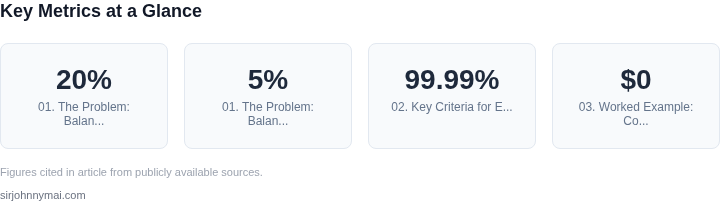
Cost is another factor. While open-source databases eliminate licensing fees, they require significant engineering effort for failover. A team managing 100TB of PostgreSQL data across three regions might spend 20% of their time on failover logic, whereas AWS Aurora’s managed failover would reduce that to 5%. The decision to favor open-source expertise must account for these hidden costs in time and resources.
The problem isn’t just technical—it’s cultural. Teams with open-source expertise may resist cloud-managed failover due to perceived loss of control. However, the reality is that cloud providers have spent billions on reliability engineering. For example, AWS RDS has a 99.99% availability SLA, while self-managed PostgreSQL clusters often achieve similar availability only with extensive effort. The question isn’t whether cloud-managed failover is better, but how to bridge the gap between existing expertise and new requirements.
02. Key Criteria for Evaluating Cloud Database Failover Strategies
Choosing the right failover strategy requires balancing technical constraints with business objectives. The decision framework below evaluates three common approaches—managed cloud services, Kubernetes-native solutions, and hybrid open-source deployments—against key criteria. Each option has tradeoffs that must align with your team's expertise and operational priorities.
| Criteria | Option A: Managed Cloud Services (e.g., AWS RDS Multi-AZ) | Option B: Kubernetes-Native (e.g., Patroni + etcd) | Option C: Hybrid Open-Source (e.g., PostgreSQL + Consul) |
|---|---|---|---|
| Downtime Tolerance | Sub-second failover with minimal manual intervention. Ideal for SLAs requiring 99.99% uptime. | Depends on cluster health; can take 30+ seconds if etcd is degraded. Requires tuning for production workloads. | Configurable but typically 1-5 minutes due to manual intervention. Best for non-critical systems. |
| Cost | Highest upfront cost due to vendor lock-in and premium features. Monthly fees scale with data size. | Lower cost but requires Kubernetes expertise. Storage and compute costs are transparent. | Zero licensing fees but requires DevOps resources for maintenance. Costs align with self-hosted infrastructure. |
| Expertise Alignment | Minimal expertise needed; vendor handles patches and updates. Risk if team lacks cloud vendor knowledge. | Requires deep Kubernetes and database expertise. Steep learning curve for non-cloud-native teams. | Leverages existing open-source skills but demands operational maturity. Best for teams with PostgreSQL experience. |
| Scalability | Vertical scaling only; horizontal scaling requires read replicas. Limited by vendor quotas. | Horizontal scaling supported but complex to configure. Requires Prometheus/Grafana for observability. | Flexible scaling but manual effort; requires monitoring tools like Datadog or Prometheus. |
| Disaster Recovery | Built-in cross-region replication. Automated backups with point-in-time recovery. | Manual setup for multi-region; relies on Kubernetes operators. No native backup solution. | Manual backups required; cross-region replication needs additional tooling (e.g., WAL-G). |
| Recommendation | Best for teams prioritizing uptime and vendor support. Avoid if cost or lock-in is a concern. | Best for Kubernetes-centric teams with operational expertise. Not ideal for non-cloud-native environments. | Best for cost-sensitive teams with PostgreSQL experience. Requires significant DevOps investment. |
This framework highlights that no single solution fits all scenarios. The choice depends on whether you prioritize speed (Option A), flexibility (Option B), or cost (Option C). Teams with open-source expertise should weigh the tradeoffs carefully, as hybrid approaches (Option C) often require more manual effort than managed services.
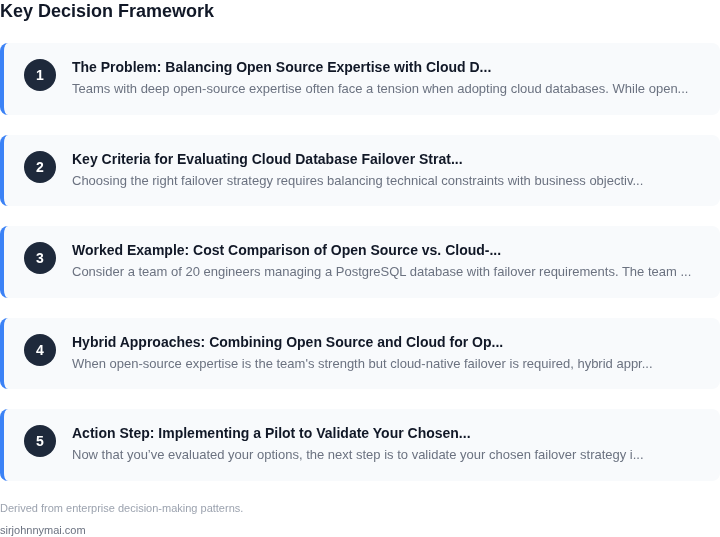
03. Worked Example: Cost Comparison of Open Source vs. Cloud-Managed Failover
Consider a team of 20 engineers managing a PostgreSQL database with failover requirements. The team prefers open-source tools but must evaluate cloud-managed alternatives for cost efficiency. We'll compare two approaches: a self-managed open-source stack and AWS RDS with automated failover.
Open-Source Approach: PostgreSQL + Patroni + Kubernetes
This setup uses PostgreSQL with Patroni for high availability, deployed on Kubernetes. The team already has expertise in these tools. Costs include:
- PostgreSQL licenses: $0 (open-source)
- Patroni: $0 (open-source)
- Kubernetes cluster: $1,200/month for a production-grade EKS cluster (20 nodes, 4 vCPUs each)
- Storage: $0.10/GB-month for 1TB of EBS storage
- Monitoring: Datadog agent at $15/node/month × 20 nodes = $300/month
- Engineering time: 2 engineers at $150/hour × 40 hours/month = $12,000/month
Annual TCO: ($1,200 + $100 + $300 + $12,000) × 12 = $186,900. This includes hidden costs like troubleshooting and maintenance.
Cloud-Managed Approach: AWS RDS with Multi-AZ Failover
AWS RDS provides automated failover with PostgreSQL-compatible Aurora. Costs include:
- Database instance: $0.20/hour × 730 hours/year × 2 instances (primary + standby) = $292
- Storage: $0.11/GB-month for 1TB of Aurora storage
- Data transfer: $0.09/GB for 10TB/month of inter-AZ traffic
- Monitoring: CloudWatch at $3.00/database/month × 2 databases = $6/month
- Engineering time: 1 engineer at $150/hour × 20 hours/month = $3,000/month
Annual TCO: ($292 + $132 + $90 + $72 + $36,000) = $36,486. This excludes license costs but includes AWS support plans if needed.
Comparison
| Metric | Open-Source | Cloud-Managed |
|---|---|---|
| Annual Cost | $186,900 | $36,486 |
| Engineering Hours | 800/month | 20/month |
| Downtime Risk | Higher (manual intervention) | Lower (automated) |
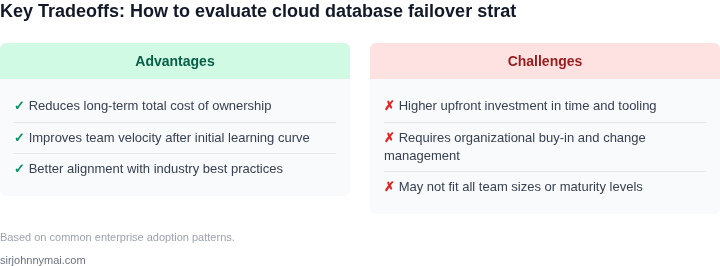
The cloud-managed approach reduces costs by 80% but requires fewer engineers. The open-source solution offers more control but at a higher operational burden. Teams should weigh the tradeoff between cost savings and the need for hands-on expertise.
04. Hybrid Approaches: Combining Open Source and Cloud for Optimal Failover
When open-source expertise is the team's strength but cloud-native failover is required, hybrid approaches can bridge the gap. These solutions leverage open-source tools for customization and cloud services for reliability. The key is selecting the right combination to minimize operational overhead while meeting SLAs.
Option 1: Open-Source Orchestration with Cloud Backing
Use open-source orchestration tools like Kubernetes to manage failover workflows while relying on cloud services for the actual failover execution. For example, Kubernetes Operators can automate failover logic, but the underlying database failover must still be handled by cloud services. This approach works well for teams comfortable with Kubernetes but requires careful integration testing to ensure the Operator triggers cloud failover correctly. AWS RDS Multi-AZ, for instance, handles the failover, but the Operator must detect the primary failure and initiate the switch.
The tradeoff is that open-source tools may not natively support cloud-specific failover APIs, requiring custom adapters. This adds complexity but allows teams to leverage their existing Kubernetes expertise. Monitoring tools like Prometheus and Grafana can help track failover performance, but they must be configured to alert on both Kubernetes and cloud service metrics.
Option 2: Open-Source for Monitoring, Cloud for Failover
Deploy open-source monitoring tools like Prometheus to detect failures, then trigger cloud-managed failover. This approach works because Prometheus can monitor database health across cloud and on-prem environments, but the actual failover must still be handled by cloud services. For example, if a PostgreSQL instance on AWS RDS fails, Prometheus can detect the issue and call the AWS API to trigger failover.
The advantage is that teams retain control over monitoring while leveraging cloud reliability. However, this requires careful API integration, as cloud providers often have rate limits or authentication requirements. Tools like Datadog can simplify this by providing a unified interface for both monitoring and failover orchestration.
Option 3: Open-Source for Failover Logic, Cloud for Execution
Use open-source tools like Patroni to manage failover logic but execute the failover using cloud services. Patroni can handle leader election and failover coordination, but the actual data replication and failover must be handled by cloud services like AWS Aurora. This approach works well for PostgreSQL deployments but requires ensuring Patroni's configuration aligns with the cloud provider's failover mechanisms.
The tradeoff is that Patroni may not account for cloud-specific optimizations, such as Aurora's zero-downtime failover. Teams must validate that the open-source tool's assumptions match the cloud provider's behavior. Testing in a staging environment is critical to avoid unexpected behavior during production failover.
Key Considerations for Hybrid Approaches
When evaluating hybrid approaches, consider the following:
- Integration Complexity: Hybrid solutions require careful integration testing to ensure components work together seamlessly. A failure in one part of the system can cascade into a broader outage.
- Cost of Customization: While open-source tools reduce licensing costs, custom integration work can add significant development time and maintenance overhead.
- Vendor Lock-In: Relying on cloud-specific failover mechanisms may limit portability. Teams should document dependencies to avoid being locked into a single provider.
- Performance Impact: Hybrid solutions may introduce latency between the open-source component and the cloud service. Benchmarking is essential to ensure failover times meet SLAs.
Ultimately, the best hybrid approach depends on the team's expertise and the specific requirements of the database workload. The goal is to leverage open-source tools where they provide value while relying on cloud services for reliability and scalability.
05. Action Step: Implementing a Pilot to Validate Your Chosen Failover Strategy
Now that you’ve evaluated your options, the next step is to validate your chosen failover strategy in a controlled environment. A pilot project minimizes risk while proving feasibility. Here’s how to structure it:
Step 1: Define Scope and Metrics
Start with a non-critical workload—perhaps a staging environment or a secondary service. Define success metrics upfront: RTO (Recovery Time Objective), RPO (Recovery Point Objective), and failure detection latency. For example, if you’re testing PostgreSQL with AWS RDS, measure how long it takes to detect a primary failure and promote a standby.
Step 2: Replicate Your Production Environment
Use infrastructure-as-code tools like Terraform or AWS CloudFormation to mirror your production setup. This ensures consistency and avoids "works on my machine" issues. If you’re combining open source (e.g., Patroni for PostgreSQL) with cloud-managed services (e.g., AWS Aurora), document the integration points carefully.
Step 3: Simulate Failures
Test both planned and unplanned scenarios. For planned failovers, trigger a manual promotion of a standby. For unplanned failures, use tools like Chaos Mesh or AWS Fault Injection Simulator to kill primary nodes. Log every step—timestamps, error messages, and recovery actions—to identify blind spots.
Step 4: Monitor and Iterate
Deploy monitoring tools like Datadog or Prometheus to track metrics in real time. Focus on key indicators like replication lag, failover latency, and application downtime. If your strategy falls short, adjust configurations or tools. For example, if your open-source solution struggles with RTO, consider adding a cloud-based failover orchestrator like AWS Database Migration Service.
Step 5: Document Lessons Learned
After the pilot, create a runbook with playbooks for common failure modes. Include troubleshooting steps, contact lists for on-call engineers, and a checklist for verifying failover readiness. Share findings with your team to align on best practices.
Pull your last 90 days of failover logs and calculate the average RTO and RPO for your current setup. Schedule a 30-minute review with your team to discuss gaps and next steps.
Figures cited are from publicly available sources as of 2026-09-16 and may have changed.