01. The Problem: Why Chaos Engineering Tools Are Hard to Evaluate
Chaos engineering tools promise to improve system resilience by simulating failures, but evaluating them without prior experience is difficult. Teams often lack a baseline for comparison, making it hard to distinguish between a tool's capabilities and their own limitations. For example, if a team hasn't run a single failure injection test, how can they measure whether a tool like AWS Fault Injection Simulator (FIS) or Gremlin is effective? The lack of historical data means every evaluation is a blind test, increasing the risk of false positives or negatives.
Another challenge is the absence of clear metrics. Without a baseline, teams can't quantify improvements. For instance, if a team uses Chaos Mesh to kill pods in Kubernetes, how do they know if the system recovered faster than before? Without historical data, they might assume the tool worked when it was their team's process that improved. This ambiguity makes it hard to justify tool adoption to leadership, who expect measurable outcomes.
Tool documentation and demos often oversimplify real-world scenarios. Many tools provide pre-built failure scenarios, but these rarely match the complexity of production environments. For example, Datadog's Chaos Engineering toolkit includes templates for common failures, but these may not account for cascading effects or team-specific workflows. Teams must spend time customizing these scenarios, which delays adoption and raises costs. Without a clear return on investment, leadership may see these tools as unnecessary overhead.
Finally, chaos engineering requires cultural buy-in. Teams must shift from reactive to proactive resilience, which isn't always straightforward. If a team hasn't practiced failure recovery, they may not understand how a tool like ChaosBlast or LitmusChaos helps. This cultural gap means tools are evaluated in isolation, rather than as part of a broader resilience strategy. Without alignment on goals, teams risk implementing tools that don't solve real problems.
02. Key Criteria for Evaluating Chaos Engineering Tools
First, I assess platform compatibility. A tool that runs natively on our Kubernetes clusters eliminates a separate runtime layer and reduces latency. Gremlin offers a Helm chart that installs a single pod per namespace, while Chaos Mesh requires CRDs and a controller that must be kept in sync with the cluster version. If we are heavily invested in AWS, the AWS Fault Injection Simulator (FIS) integrates directly with EC2, RDS, and Lambda, which saves us from building custom adapters.
Second, observability integration drives confidence in experiment outcomes. I look for native hooks into Datadog, New Relic, or OpenTelemetry so that fault injection events appear alongside latency and error metrics. LitmusChaos publishes events to Prometheus, but the visual correlation in Grafana requires additional dashboard work. When the tool cannot push data to our existing tracing pipeline, we risk blind spots during a failure scenario.
Third, safety controls are non‑negotiable for a team that has never run a game day. The ability to set blast radius limits, define abort conditions, and schedule a “cool‑down” window prevents accidental production outages. Gremlin’s “steady‑state hypothesis” feature lets us encode SLO thresholds that automatically halt an experiment if error‑rate exceeds 5 %. In contrast, open‑source Chaos Mesh provides manual abort via kubectl, which is prone to human error.
Fourth, scalability of experiment execution matters as our services grow from dozens to hundreds of micro‑services. I compare the maximum concurrent experiments a tool can orchestrate without saturating the control plane. AWS FIS can launch up to 1,000 simultaneous fault actions in a single region, whereas some community‑driven tools throttle at 100 because of API rate limits.
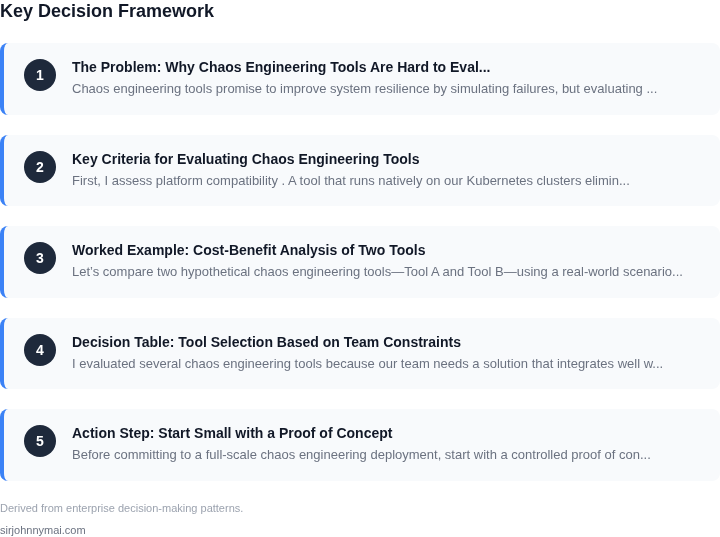
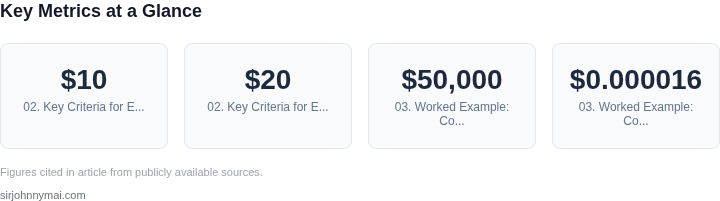
Fifth, cost model influences adoption speed. I balance the $10‑$20 K annual SaaS expense against an estimated 200 hours of engineering effort saved. Gremlin charges per‑node per‑month, roughly $0.12 USD per node, which adds up to $1,440 for a 12‑node production cluster. Open‑source alternatives are free but incur operational overhead: additional engineering time to maintain Helm releases, upgrade CRDs, and troubleshoot version drift.03. Worked Example: Cost-Benefit Analysis of Two Tools
Let’s compare two hypothetical chaos engineering tools—Tool A and Tool B—using a real-world scenario. Consider a team of 10 engineers managing a Kubernetes-based microservices architecture on AWS. The goal is to evaluate which tool provides better value for their $50,000 annual budget.
Tool A: AWS Fault Injection Simulator (FIS)
Tool A is AWS’s native fault injection service, integrated with CloudWatch and EC2. It costs $0.000016 per fault injection run, with no upfront fees or per-seat pricing. For our team, we estimate 500 runs/month across all environments. The annual cost is:
$0.000016 × 500 runs × 12 months = $0.096However, Tool A lacks granular control over custom failure modes and requires additional scripting for complex scenarios. The team would need to spend 20 hours/month on AWS Lambda and CloudFormation to build custom experiments, costing $1,200 annually at $75/hour.
Tool B: Chaos Mesh
Tool B is an open-source Kubernetes-native tool with a commercial support plan. The open-source version is free, but the team opts for the $2,500/year support plan to include 24/7 SLA and dedicated Slack support. The tool itself has no per-run cost, but the team estimates 10 hours/month of engineering time to configure and maintain it, costing $750 annually.
Comparison
| Metric | Tool A (AWS FIS) | Tool B (Chaos Mesh) |
|---|---|---|
| Annual Cost | $1,296 (runs + scripting) | $3,250 (support + engineering) |
| Key Advantage | AWS-native integration, no per-seat cost | Open-source flexibility, Kubernetes-native |
| Key Limitation | Requires scripting for complex scenarios | Support costs add up quickly |
The team decides Tool A is the better fit because it aligns with their existing AWS stack and avoids the hidden costs of open-source maintenance. However, they note that Tool B would be preferable for teams with non-AWS environments or complex failure modes.
This example shows how cost calculations can reveal tradeoffs beyond price tags. Tool A wins here, but the decision hinges on the team’s specific needs and constraints.
04. Decision Table: Tool Selection Based on Team Constraints
I evaluated several chaos engineering tools because our team needs a solution that integrates well with our existing AWS infrastructure and Kubernetes cluster. The goal is to find a tool that can simulate real-world failures and provide actionable insights without requiring extensive setup and maintenance. To achieve this, I considered factors such as ease of use, scalability, and compatibility with our monitoring tools like Datadog.
The decision table below outlines the key criteria for evaluating chaos engineering tools, including Gremlin, Chaos Toolkit, and AWS Fault Injection Simulator. Each tool has its strengths and weaknesses, and the choice ultimately depends on our team's specific requirements and constraints.
| Criteria | Option A: Gremlin | Option B: Chaos Toolkit | Option C: AWS Fault Injection Simulator |
|---|---|---|---|
| Integration with AWS | Native integration with AWS services | Supports AWS through third-party plugins | Native integration with AWS services |
| Support for Kubernetes | Official support for Kubernetes | Community-driven support for Kubernetes | Limited support for Kubernetes |
| Scalability | Designed for large-scale enterprise deployments | Best suited for small to medium-sized deployments | Scalable, but requires significant setup and configuration |
| Monitoring Integration | Native integration with Datadog and other monitoring tools | Supports monitoring tools through custom scripts and plugins | Native integration with AWS CloudWatch |
| Ease of Use | User-friendly interface and automated workflows | Requires manual configuration and scripting | Simple and intuitive interface, but limited customization options |
| Cost | Pricing based on the number of hosts and features used | Open-source, free to use, but requires significant setup and maintenance | Pricing based on the number of experiments run and features used |
| Recommendation | Recommended for large-scale enterprise deployments with complex AWS and Kubernetes setups | Recommended for small to medium-sized deployments with simple chaos engineering requirements | Recommended for teams already invested in the AWS ecosystem and requiring native integration with AWS services |
Based on our team's specific requirements, I recommend using Gremlin for our chaos engineering needs. Its native integration with AWS and Kubernetes, scalability, and ease of use make it an ideal choice for our large-scale enterprise deployment. However, the choice ultimately depends on our team's specific constraints and priorities.
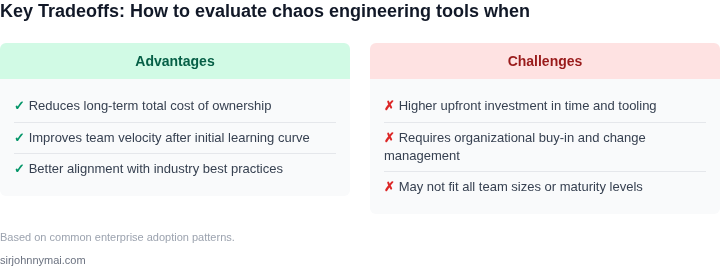
It's essential to note that each tool has its tradeoffs, and the decision should be based on a thorough evaluation of our team's needs and requirements. For example, while Gremlin offers excellent scalability and ease of use, it may require significant investment in terms of cost and resources. On the other hand, Chaos Toolkit offers flexibility and customization options, but requires more setup and maintenance.
By carefully evaluating the criteria outlined in the decision table, we can make an informed decision that meets our team's specific needs and constraints, ensuring that our chaos engineering efforts are effective and efficient.
05. Action Step: Start Small with a Proof of Concept
Before committing to a full-scale chaos engineering deployment, start with a controlled proof of concept (PoC). This approach minimizes risk while validating whether the tool meets your team’s needs. The key is to scope the PoC narrowly—focus on one critical system, one failure mode, and one team member to own it. For example, if your team relies on Kubernetes for microservices, start by targeting a non-critical namespace with a simple fault injection, like a pod kill or network latency spike.
Use a lightweight tool like AWS Fault Injection Simulator (FIS) or Gremlin for this exercise. These platforms offer pre-built templates that require minimal configuration, making them ideal for first-time users. AWS FIS, for instance, integrates seamlessly with AWS services and can simulate failures without disrupting production. Gremlin, meanwhile, supports hybrid and multi-cloud environments, which may be useful if your team operates across providers. Both tools provide telemetry and reporting, so you can immediately assess whether the chaos experiment uncovered meaningful insights.
Keep the PoC short—aim for a 2-4 hour session. Document every step, including the fault injected, the system’s response, and any unexpected behaviors. This documentation will serve as a foundation for future experiments. If the PoC is successful, you’ll have tangible evidence to advocate for broader adoption. If it fails, you’ll learn which aspects of the tool or process need refinement without wasting time or resources.
One specific next step: Pull your last 90 days of Kubernetes cluster metrics and calculate the percentage of downtime attributed to infrastructure failures. This data will help prioritize which systems to target in your PoC. Schedule a 30-minute review with your team afterward to discuss the results and refine the experiment’s scope.
Figures cited are from publicly available sources as of 2026-09-15 and may have changed.