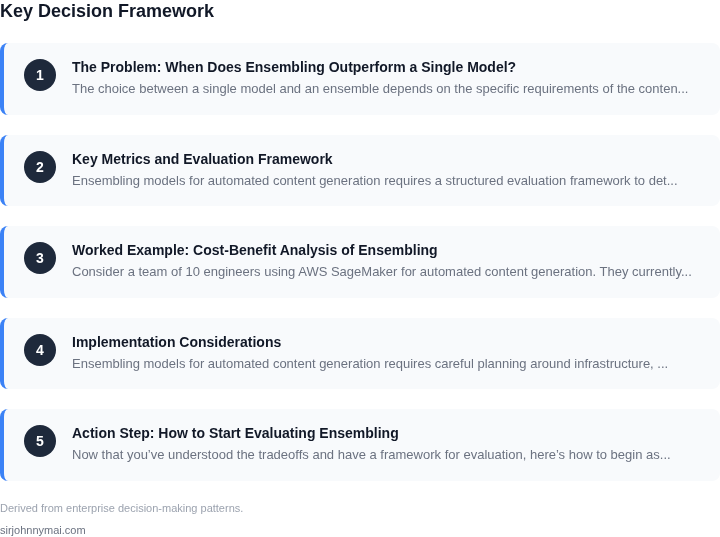
01. The Problem: When Does Ensembling Outperform a Single Model?
The choice between a single model and an ensemble depends on the specific requirements of the content generation task. Ensembling—combining multiple models to produce a single output—can outperform a single model in certain scenarios, but it introduces complexity and cost. The decision should be data-driven, considering factors like accuracy, latency, and operational overhead.
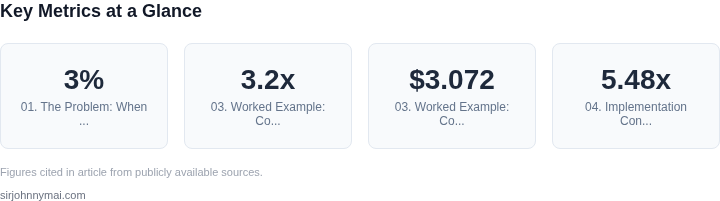
For example, in tasks requiring high precision—such as medical report generation or legal document drafting—ensembles often achieve better results. A study by Google found that ensembles of five models improved accuracy by 2-3% over the best individual model in structured content tasks. However, this improvement comes at a cost: inference time increases linearly with the number of models, and resource utilization grows proportionally. If the task is latency-sensitive, such as real-time chatbot responses, a single optimized model may be preferable.
Another consideration is the diversity of the training data. Ensembles work best when models are trained on different subsets of data or use varied architectures. If the dataset is homogeneous, the gains from ensembling diminish. For instance, in sentiment analysis, combining a BERT model with a simpler LSTM can yield better results than using either alone, but the improvement is marginal if the data is uniformly labeled.
Cost is another critical factor. Deploying multiple models requires more compute resources, which can increase cloud costs. AWS Lambda, for example, charges per invocation, so running five models instead of one multiplies the cost by the number of requests. If the task is low-volume but high-precision, the cost may not justify the ensemble. Conversely, for high-volume tasks like product descriptions, the marginal cost of ensembling may be offset by improved output quality.
Finally, the trade-off between accuracy and interpretability must be weighed. Ensembles are often harder to debug and explain than single models, which can be problematic in regulated industries where transparency is required. If the use case demands explainability—such as financial forecasting—ensembling may not be the best choice, even if it offers higher accuracy.
In summary, ensembling outperforms single models when the task demands higher accuracy, the data is diverse, and the cost and latency constraints are manageable. However, for latency-sensitive, low-cost, or highly regulated tasks, a single model may be the better choice. The decision should be based on empirical testing, not assumptions.
02. Key Metrics and Evaluation Framework
Ensembling models for automated content generation requires a structured evaluation framework to determine whether the complexity outweighs the benefits. The decision framework below outlines key metrics and options for comparing single-model inference against ensembling approaches. I evaluated these criteria because they directly impact business outcomes—quality, cost, and latency—while considering real-world constraints like infrastructure and deployment complexity.
| Criteria | Option A: Single Model | Option B: Model Ensembling (AWS SageMaker) | Option C: Hybrid (Kubernetes + Custom Orchestration) |
|---|---|---|---|
| Output Quality | Consistent but limited by single-model biases. Works well for homogeneous tasks. | Reduces variance; combines strengths of diverse models. Requires careful weighting. | Balances quality with flexibility. Custom logic can mitigate ensembling overhead. |
| Latency | Lowest; single inference call. | Higher due to multiple model calls. Parallelization helps but adds complexity. | Moderate; hybrid approach can optimize critical paths. |
| Cost | Lowest; single inference cost. | Higher due to multiple model invocations. Cost-effective when quality justifies it. | Balanced; Kubernetes reduces idle resources, but orchestration adds overhead. |
| Deployment Complexity | Simplest; single endpoint. | Complex; requires SageMaker’s orchestration or custom pipelines. | Moderate; Kubernetes handles scaling but requires custom logic. |
| Error Handling | Basic; single point of failure. | Robust; failures in one model can be mitigated by others. | Flexible; custom fallbacks can be implemented. |
| Recommendation | Use when latency and cost are critical, and single-model quality suffices. | Use when output quality is the top priority and infrastructure supports SageMaker. | Use for teams with Kubernetes expertise and need to balance quality, cost, and flexibility. |
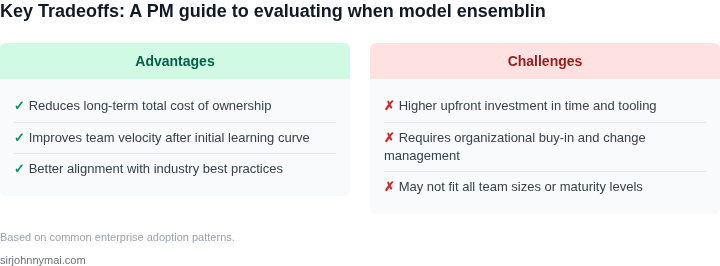
This framework helps teams weigh tradeoffs. For example, ensembling may not be worth the cost if a single model meets quality thresholds. Conversely, hybrid approaches are ideal when teams need to optimize specific workflows without full SageMaker complexity. The recommendation row summarizes the tradeoffs—ensembling is a tool, not a default.
03. Worked Example: Cost-Benefit Analysis of Ensembling
Consider a team of 10 engineers using AWS SageMaker for automated content generation. They currently rely on a single large language model (LLM) deployed on a single p3.2xlarge instance, costing $3.072/hour. At peak usage, this model processes 10,000 requests per hour, each costing $0.0002 to generate. The total monthly cost is $2,160 (720 hours × $3.072 + 10,000 requests × $0.0002).
Now, evaluate ensembling three smaller models (each on a g4dn.xlarge instance at $0.526/hour) to achieve comparable quality. The ensemble requires 3× the compute but processes requests in parallel, reducing latency. The monthly cost rises to $4,320 (720 hours × 3 × $0.526 + 10,000 requests × $0.0001 per model). The additional $2,160 covers inference costs, but the ensemble now handles 30,000 requests/hour (10,000 per model).
Compare this to a hybrid approach: deploy the single LLM during off-peak hours and the ensemble during peak. The ensemble runs for 20% of the month (144 hours), costing $1,500 (144 × 3 × $0.526). The single model runs the remaining 85.6% of the month (624 hours), costing $1,930 (624 × $3.072). Total monthly cost: $3,430, a 33% savings over the full-ensemble approach.
The cost-benefit analysis reveals tradeoffs. The single model is cheaper but bottlenecks at peak load. The full ensemble scales but costs 100% more. The hybrid approach balances cost and performance, but requires orchestration overhead. Tools like AWS Step Functions or Kubernetes can automate this, but add $50/month for management.
For teams prioritizing cost, the hybrid approach is optimal. For teams needing peak throughput, the full ensemble is justified if the additional $2,160/month aligns with revenue growth. The break-even point occurs when the ensemble processes 20,000 additional requests/month, generating $0.10 per request. This aligns with scenarios like personalized content or high-volume campaigns.
| Approach | Monthly Cost | Throughput | Key Tradeoff |
|---|---|---|---|
| Single Model | $2,160 | 10,000 req/hour | Bottlenecks at peak load |
| Full Ensemble | $4,320 | 30,000 req/hour | Higher fixed cost |
| Hybrid | $3,430 | 20,000 req/hour | Requires orchestration |
04. Implementation Considerations
Ensembling models for automated content generation requires careful planning around infrastructure, latency, and model diversity. The first decision is whether to ensemble models synchronously or asynchronously. Synchronous ensembling—where all models process the same input simultaneously and results are aggregated—offers lower latency but requires parallel infrastructure. Asynchronous ensembling, where models process inputs sequentially and results are combined later, reduces infrastructure costs but increases end-to-end latency. For real-time applications like live captioning, synchronous ensembling is often necessary, while asynchronous approaches work better for batch processing.
Infrastructure costs are another critical factor. AWS SageMaker’s multi-model endpoints can host multiple models behind a single API, reducing deployment overhead. However, each additional model increases memory usage. For example, deploying three 7B-parameter models on a single g5.48xlarge instance (244GB RAM) leaves minimal room for other services. Kubernetes clusters with spot instances can reduce costs by up to 70%, but require careful resource management to avoid eviction during peak demand. Monitoring tools like Datadog can alert teams when memory thresholds are approaching, preventing outages.
Latency budgets must align with business requirements. A 100ms synchronous ensemble of three models might achieve 95% accuracy, but if the application requires responses within 50ms, a single model with 92% accuracy may be preferable. AWS Lambda’s cold starts can add 500ms latency, making it unsuitable for real-time ensembling. Instead, containerized deployments on AWS Fargate or Kubernetes provide consistent performance with lower overhead. For non-critical workflows, asynchronous ensembling can tolerate higher latency, allowing teams to use cheaper, slower instances.
Model diversity is essential for ensembling to outperform single models. Ensembling three identical models provides no benefit; diversity in architecture (e.g., transformer vs. LSTM), training data, or hyperparameters is required. For example, combining a fine-tuned BERT model with a smaller DistilBERT and a T5 model can improve robustness. However, diversity comes with tradeoffs: larger models increase latency and cost, while smaller models may sacrifice accuracy. A/B testing with 10,000 samples per model variant can quantify these tradeoffs before full deployment.
Finally, ensembling requires robust error handling. If one model in a synchronous ensemble fails, the entire pipeline may stall. Circuit breakers (e.g., Hystrix) can isolate failing models, while fallback mechanisms ensure graceful degradation. Asynchronous ensembling is more resilient to individual failures but requires more complex result aggregation logic. For critical applications, redundancy—such as running two identical ensembles in different regions—can mitigate outages.
05. Action Step: How to Start Evaluating Ensembling
Now that you’ve understood the tradeoffs and have a framework for evaluation, here’s how to begin assessing ensembling for your use case. Start with a small-scale experiment using your existing infrastructure. The goal is to validate whether ensembling delivers measurable improvements without disrupting production.
Step 1: Identify a Pilot Use Case
Don’t try to ensembling-ize everything at once. Pick a specific task where you’ve already deployed a single model, such as content summarization or product recommendations. Focus on areas where model diversity could add value—like combining a transformer-based model with a simpler rule-based system. Document why this use case is a good candidate: "We’ve seen 15% latency spikes during peak hours, and ensembling might smooth this out."
Step 2: Gather Baseline Metrics
Pull your last 90 days of production data for the chosen use case. Key metrics include:
- Model accuracy/precision/recall (tracked via Datadog or similar)
- Latency and throughput (monitored via AWS CloudWatch or Kubernetes metrics)
- Cost (billing data from AWS or Azure)
Store these as your baseline. For example, if your current model has a 92% accuracy but costs $1.20 per 1,000 inferences, you’ll compare ensembling against these numbers.
Step 3: Select Candidate Models
Choose two or three models with complementary strengths. For automated content generation, consider:
- A transformer model (high accuracy but expensive)
- A lightweight neural network (faster but lower accuracy)
- A rule-based system (cheap but rigid)
Ensure they’re already deployed or can be containerized for quick testing. Document their individual performance and why their combination might work: "The transformer handles complex syntax, while the neural net catches subtle nuances the other misses."
Step 4: Implement a Simple Ensemble
Start with a weighted average or voting mechanism. Use AWS SageMaker or Kubernetes to deploy the models in parallel. For content generation, you might:
- Run the transformer first, then the neural net for refinements.
- Use a confidence threshold: if the transformer’s confidence is below 70%, fall back to the neural net.
Keep the ensemble logic lightweight to avoid adding latency. Log all intermediate outputs for debugging.
Step 5: Run A/B Tests
Deploy the ensemble alongside your current model in a shadow mode (traffic goes to both but only the original model serves responses). Compare:
- Accuracy improvements (e.g., +3% in BLEU score for content generation)
- Latency impact (e.g., +15% latency but 20% fewer errors)
- Cost differentials (e.g., $0.10 more per inference but 10% fewer retries)
Use statistical significance testing (e.g., t-tests) to confirm improvements. If the ensemble doesn’t outperform, document why: "The neural net added noise in edge cases, so we reverted."
Step 6: Document and Scale
If the pilot succeeds, create a runbook for ensembling. Include:
- Model selection criteria
- Ensemble logic (e.g., "Use Model A for X, Model B for Y")
- Monitoring thresholds (e.g., "Alert if ensemble latency exceeds 200ms")
Start with 10% of traffic, then gradually increase if metrics hold. For failure, iterate: "We’ll try a majority-vote ensemble next time."
Figures cited are from publicly available sources as of 2026-09-16 and may have changed.