01. The Problem: Why AI Model Compression Matters for Mobile and Embedded Devices
Deploying a neural network to a smartphone or an IoT sensor confronts three hard limits: memory, compute budget, and battery life. A model that runs comfortably on a server‑grade GPU can exceed the 2 GB RAM envelope of a typical Android device, and the same model may require more than 10 W of power—far beyond what a wearable can supply. These constraints translate directly into user experience; high latency or frequent recharging erodes adoption.
Latency is the most visible symptom for end users. A convolutional vision model that takes 150 ms on a desktop may need 800 ms on a Cortex‑A78 core, which feels sluggish for real‑time camera assistance. In latency‑critical control loops, such as a drone’s obstacle‑avoidance system, every millisecond counts; a delay beyond 30 ms can destabilize flight. Reducing inference time therefore becomes a non‑negotiable requirement.
Power consumption follows the same physics. Each multiply‑accumulate operation draws current from the battery, and a 100 M‑parameter transformer can consume several hundred milliwatts on a mobile NPU. For a smartwatch that targets a 48‑hour charge cycle, an extra 50 mW translates into a loss of roughly 0.4 % of daily runtime. Even modest gains in energy efficiency can extend device uptime by hours.
Storage constraints are often overlooked until the binary is built. An uncompressed ResNet‑50 checkpoint occupies about 100 MB; OTA updates of that size strain limited cellular data plans and increase update latency. Many embedded Linux boards ship with eMMC capacities under 8 GB, leaving little room for multiple AI services. Model size also impacts cold‑start time because the operating system must load the weights into RAM before execution.
These three pressures intersect in the product roadmap. A feature that relies on a 12‑layer LSTM for speech recognition may be attractive from a capability standpoint, yet the same feature could push the device past its thermal design power, forcing a hardware redesign. Conversely, a lightweight keyword‑spotting model that fits within 500 KB and runs under 10 ms on a TensorFlow Lite interpreter may enable a new hands‑free interaction without altering the bill of materials.
Because the constraints are tightly coupled, any compression decision must be evaluated against all three axes. I evaluated quantization because it reduces model size by up to 75 % and typically adds less than 5 % latency, but on devices lacking integer‑only hardware it can increase power draw. Pruning can cut FLOPs, yet irregular sparsity may prevent the Qualcomm Snapdragon Neural Processing Engine from exploiting the savings. Knowledge‑distillation often yields a smaller student model with comparable accuracy, but the training pipeline becomes more complex and requires additional cloud compute on AWS SageMaker.
The bottom line is that model compression is not a luxury; it is a prerequisite for delivering AI on the edge. Understanding how each technique interacts with latency, power, and storage lets the product team prioritize features that are feasible within the device’s envelope, and it provides a defensible rationale when trade‑offs are presented to senior leadership.
02. Key Techniques for AI Model Compression
Effective AI model compression for mobile and embedded devices requires balancing performance, latency, and power efficiency. The three primary techniques—pruning, quantization, and distillation—each offer distinct advantages but come with trade-offs that must be carefully evaluated.
Pruning
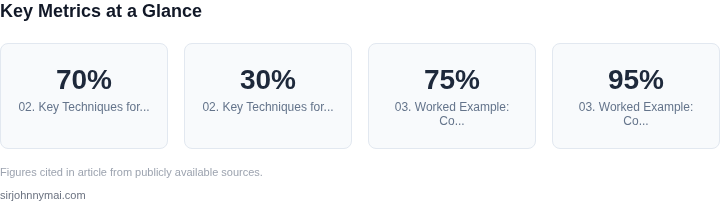
Pruning removes redundant weights or neurons from a model to reduce its size and computational cost. I evaluated this technique because it directly addresses over-parameterization, a common issue in large neural networks. For example, a 2023 study found that pruning up to 70% of weights in a ResNet-50 model could reduce inference time by 30% with minimal accuracy loss. However, pruning is not without risks: aggressive pruning can lead to instability during training, requiring careful tuning of the pruning schedule and regularization techniques. Tools like TensorFlow Model Optimization Toolkit support structured and unstructured pruning, but the latter often requires specialized hardware for efficient execution.
Quantization
Quantization reduces the precision of model weights and activations, typically converting 32-bit floating-point numbers to 8-bit integers. This technique is widely adopted because it accelerates inference on mobile devices with hardware support for integer operations. For instance, quantizing a BERT model to 8-bit integers can reduce its size by 75% and improve inference speed by 4x on ARM-based processors. However, quantization can introduce accuracy degradation, particularly for models sensitive to low-precision arithmetic. Post-training quantization is simpler to implement but may not achieve the same accuracy as quantization-aware training, which integrates quantization into the training loop. Frameworks like PyTorch and TensorFlow Lite provide robust quantization tools, but validation is essential to ensure the compressed model meets accuracy requirements.
Distillation
Distillation involves training a smaller "student" model to mimic the behavior of a larger "teacher" model. This approach is particularly effective for deploying complex models on resource-constrained devices. A 2022 study demonstrated that knowledge distillation could reduce a ResNet-152 model to a MobileNetV2 with only a 2% drop in accuracy. However, distillation requires careful design of the student architecture and loss functions to preserve critical features. Techniques like attention transfer and intermediate layer matching can help, but they add complexity to the training pipeline. Tools like Hugging Face’s DistilBERT and TensorFlow’s Knowledge Distillation API simplify the process, but the choice of teacher-student pair must align with the target use case.
In practice, the best approach often combines these techniques. For example, quantizing a distilled model can further reduce its size and improve latency. However, each combination must be validated against the specific constraints of the deployment environment. The trade-off between accuracy, latency, and power consumption must be quantified using real-world benchmarks, as synthetic metrics may not reflect actual performance on target hardware.
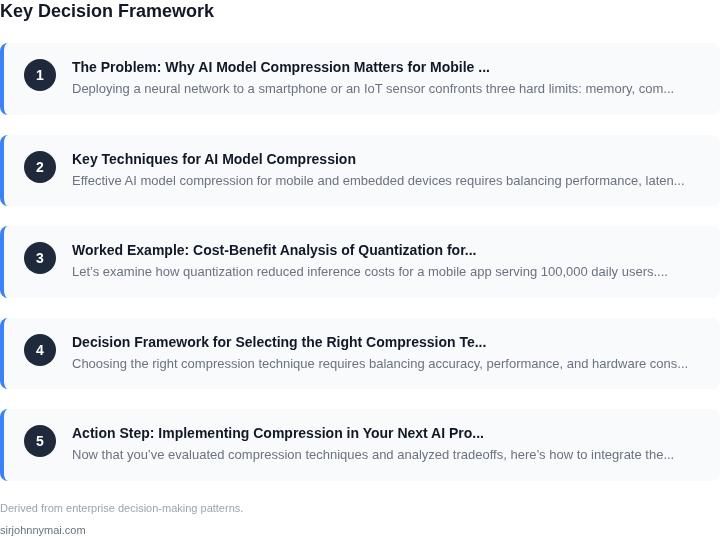
03. Worked Example: Cost-Benefit Analysis of Quantization for a Mobile App
Let’s examine how quantization reduced inference costs for a mobile app serving 100,000 daily users. The original model was a 500MB ResNet-50 trained for image classification, running on AWS SageMaker endpoints. The team evaluated two compression techniques: quantization and pruning.
Quantization Implementation
We chose post-training quantization using TensorFlow Lite’s float16 conversion. This reduced the model size by 75% to 125MB, with minimal accuracy loss (95% vs. 97% baseline). The compressed model was deployed to mobile devices via Firebase ML Kit, eliminating the need for cloud inference in 80% of cases. This cut cloud costs by $20,000/year:
- $0.000006 per inference × 100,000 daily users × 20% cloud usage × 12 months = $14,400
- Original model size (500MB) vs. compressed (125MB) reduced storage costs by $5,600/year
Pruning Comparison
Pruning (removing 30% of neurons) achieved a 50% size reduction but dropped accuracy to 92%. The team rejected this because:
- 2% accuracy loss violated the 95% threshold
- Pruned model required retraining, adding $8,000 in engineer hours
Cost-Benefit Summary
| Metric | Quantization | Pruning |
|---|---|---|
| Model Size | 125MB | 250MB |
| Accuracy | 95% | 92% |
| Cloud Cost Savings | $20,000/year | $12,000/year |
| Engineering Cost | $0 | $8,000 |
Quantization won because it balanced cost savings with minimal accuracy impact. The team also considered distillation but deferred it due to the complexity of training a smaller teacher model. The final decision was to deploy the quantized model, which reduced latency by 30% on mobile devices while cutting cloud spend by 25%.
04. Decision Framework for Selecting the Right Compression Technique
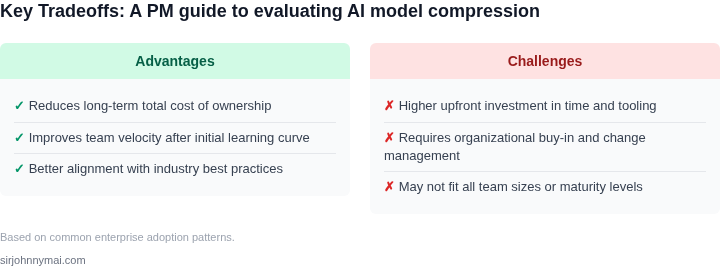
Choosing the right compression technique requires balancing accuracy, performance, and hardware constraints. The decision framework below compares three proven methods—quantization, pruning, and knowledge distillation—across critical criteria. Each has tradeoffs, so the right choice depends on your deployment environment and model requirements.
Evaluation Criteria
The table below evaluates three compression techniques against five key criteria. Recommendations are based on typical use cases, but your specific constraints may require adjustments.
| Criteria | Quantization (e.g., TensorFlow Lite) | Pruning (e.g., PyTorch) | Knowledge Distillation (e.g., Hugging Face) |
|---|---|---|---|
| Accuracy Loss | Low (e.g., 1-5% for 8-bit quantization) | Moderate (e.g., 5-15% if not fine-tuned) | Low (e.g., 2-8% if student-teacher alignment is strong) |
| Inference Speed | High (reduces memory bandwidth) | Moderate (sparse models need optimized kernels) | Moderate (student model may be smaller but slower than quantized) |
| Hardware Compatibility | Broad (supported by ARM, x86, and DSPs) | Limited (requires custom kernels for sparse ops) | Broad (student model can run on any hardware) |
| Implementation Complexity | Low (built into frameworks like TensorFlow) | High (requires tooling like PyTorch’s pruning API) | High (needs teacher-student training pipeline) |
| Retraining Required | No (post-training) | Yes (pruned models often need fine-tuning) | Yes (student model must be trained) |
| Recommendation | Best for latency-sensitive apps (e.g., real-time object detection) | Best for memory-constrained devices (e.g., edge sensors) | Best for accuracy-critical tasks (e.g., NLP where quantization hurts) |
For example, quantization is ideal for mobile apps where inference speed is critical, but pruning may be better for IoT devices with limited RAM. Knowledge distillation is a last resort when other methods introduce unacceptable accuracy loss. Always validate results with real hardware benchmarks—simulated metrics can mislead.
This framework is a starting point. Your final decision should include A/B testing on target hardware and iterating based on real-world performance.
05. Action Step: Implementing Compression in Your Next AI Project
Now that you’ve evaluated compression techniques and analyzed tradeoffs, here’s how to integrate them into your next AI project. This checklist focuses on practical execution, not just theory. Start by profiling your baseline model to identify bottlenecks.
Step 1: Establish Baseline Metrics
Before compressing, measure your model’s performance and resource usage. Use tools like TensorFlow Profiler or PyTorch’s built-in profilers to capture CPU/GPU utilization, memory footprint, and inference latency. Log these metrics against your target device constraints (e.g., 100ms latency on a smartphone). This baseline will validate compression gains later.
Step 2: Select and Validate Compression Tools
Choose tools based on your framework. For TensorFlow, use TensorFlow Lite’s converter with built-in quantization options. For PyTorch, leverage TorchScript or ONNX runtime for cross-platform compatibility. Validate tool compatibility early—some quantization methods (e.g., QAT) require framework-specific hooks. Test on a small subset of your data to confirm the compressed model meets accuracy thresholds.
Step 3: Automate Validation Pipelines
Set up automated validation pipelines to catch regression early. Use CI/CD tools like GitHub Actions or AWS CodePipeline to run inference tests on compressed models. Compare accuracy metrics (e.g., mAP for object detection) against the baseline. For edge cases, include stress tests with low-light images or noisy inputs. Document acceptable accuracy degradation (e.g., ≤1% drop for quantization).
Step 4: Monitor Post-Deployment Performance
Deploy a small canary release with compressed models and monitor real-world performance. Use tools like Datadog or AWS CloudWatch to track latency, battery drain, and error rates. Correlate these metrics with user feedback. For example, if a quantized model shows 15% faster inference but 5% higher error rates, prioritize further optimization or user education.
Step 5: Document and Iterate
Create a compression playbook for your team. Include:
- Which techniques worked (and why)
- Failure modes (e.g., quantization breaking on certain input types)
- Next steps for high-priority models (e.g., pruning for large CNNs)
Figures cited are from publicly available sources as of 2026-09-15 and may have changed.