01. The Problem: Balancing Security and Cost in WAF Selection
Choosing between cloud-native and third-party web application firewalls (WAFs) is a critical decision for organizations prioritizing application security. The trade-offs between these options are not just technical but also financial and operational. Cloud-native WAFs, such as AWS WAF or Azure Application Gateway, integrate seamlessly with cloud infrastructure, reducing deployment complexity. However, they often lack the specialized rule sets and threat intelligence of dedicated third-party solutions like Cloudflare or Imperva.
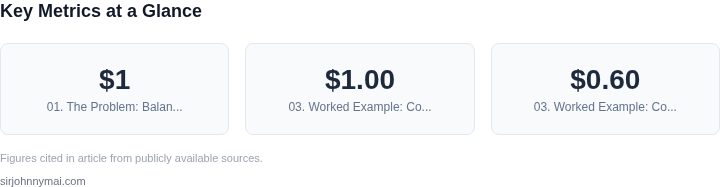
Cost is a major differentiator. Cloud-native WAFs typically charge per rule or request, which can escalate quickly as traffic grows. For example, AWS WAF pricing starts at $1 per million requests, plus additional costs for advanced features. Third-party WAFs, while often more expensive upfront, may offer bundled services that include DDoS protection, bot mitigation, and advanced threat intelligence. The total cost of ownership (TCO) can vary significantly based on traffic volume and security needs.
Performance is another consideration. Cloud-native WAFs leverage the same infrastructure as the application, reducing latency. However, they may struggle with high-volume traffic spikes unless paired with auto-scaling solutions. Third-party WAFs, while introducing additional hops, often provide better performance at scale due to their distributed architecture. For instance, Cloudflare's global network can handle traffic surges without requiring additional infrastructure.
Customization and flexibility are key differentiators. Cloud-native WAFs allow deep integration with cloud services, such as Kubernetes or serverless functions, but may require custom scripting for complex rules. Third-party WAFs offer pre-built rule sets and APIs for easier deployment, but may not integrate as tightly with specific cloud environments. The choice depends on whether the organization prioritizes out-of-the-box security or deep customization.
Finally, vendor lock-in is a concern. Cloud-native WAFs are tightly coupled with specific cloud providers, which can complicate migrations. Third-party WAFs, while more portable, may require additional configuration to maintain security policies across hybrid environments. Organizations must weigh the benefits of vendor neutrality against the convenience of native integrations.
02. Key Considerations for WAF Selection
When choosing between cloud-native and third-party WAF solutions, the decision hinges on three critical factors: feature parity, scalability, and vendor support. Cloud-native WAFs like AWS WAF or Azure Application Gateway integrate seamlessly with their respective cloud ecosystems, offering native support for services such as Lambda, API Gateway, and Kubernetes. This integration reduces deployment complexity and simplifies management through unified dashboards. However, cloud-native solutions may lack advanced features like AI-driven anomaly detection or granular policy enforcement, which are standard in third-party WAFs like Cloudflare or Imperva.
Feature parity is particularly important for organizations with complex security requirements. Third-party WAFs often provide more sophisticated rule sets, including pre-configured policies for OWASP Top 10 vulnerabilities and real-time threat intelligence feeds. For example, Cloudflare's WAF includes over 100,000 rules out of the box, while AWS WAF requires manual rule configuration. This difference can lead to faster deployment and lower maintenance overhead for teams prioritizing security without extensive customization.
Scalability is another area where cloud-native solutions excel. AWS WAF, for instance, automatically scales with traffic spikes, handling up to 10 million requests per second without performance degradation. In contrast, third-party WAFs may require manual adjustments or additional infrastructure to maintain performance at scale. However, cloud-native WAFs may impose vendor lock-in, limiting flexibility to migrate to other cloud providers or hybrid environments.
Vendor support is a critical consideration, especially for enterprises with strict compliance or SLAs. Cloud providers like AWS offer 24/7 support with guaranteed response times, while third-party vendors may provide additional features like dedicated security teams or extended coverage for legacy applications. For example, Imperva's WAF includes compliance certifications for PCI DSS and HIPAA, whereas AWS WAF requires customers to manage compliance independently. The tradeoff here is cost: third-party solutions often come with premium pricing, whereas cloud-native options may include support as part of a broader cloud contract.
In summary, cloud-native WAFs are ideal for organizations already deeply invested in a specific cloud provider, while third-party WAFs offer broader feature sets and vendor-specific expertise. The choice depends on balancing immediate needs with long-term flexibility. Teams should prioritize integration ease, feature depth, and support alignment with their operational model.
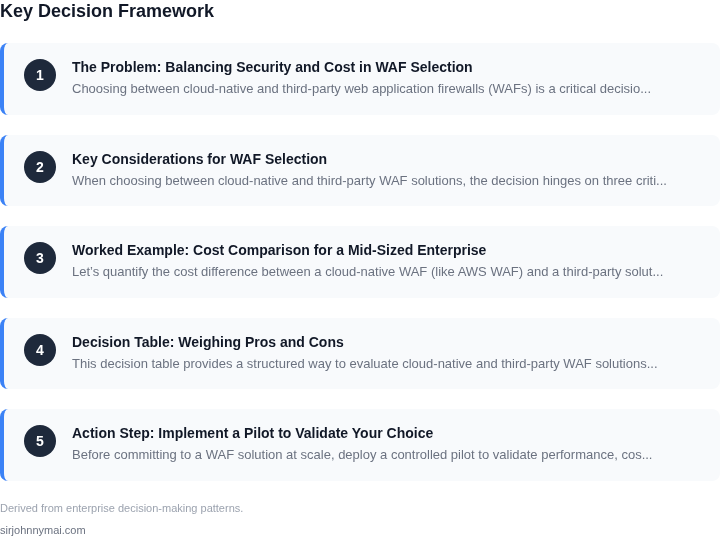
03. Worked Example: Cost Comparison for a Mid-Sized Enterprise
Let’s quantify the cost difference between a cloud-native WAF (like AWS WAF) and a third-party solution (like Cloudflare) for a mid-sized enterprise with 500 concurrent users, 100,000 monthly requests, and a team of 5 security engineers.
Cloud-Native WAF (AWS WAF)
AWS WAF integrates directly with AWS services and offers pay-as-you-go pricing. The cost breakdown includes:
- Web ACL pricing: $1.00 per Web ACL per month, plus $0.60 per million requests. For 100,000 requests, this is $1.00 + ($0.60 × 0.1) = $1.06/month.
- Rule pricing: $1.00 per rule per month. Assuming 5 rules, this is $5.00/month.
- Logging and monitoring: CloudWatch Logs at $0.53 per GB/month. If logs average 100 MB/month, this is $0.053/month.
- Operational overhead: Engineers spend 20 hours/month maintaining rules and alerts, costing $2,000 annually at $100/hour.
Total annual cost: ($1.06 + $5.00 + $0.053) × 12 = $67.96/year, plus $2,000 for labor. The cloud-native approach reduces licensing costs but shifts operational burden to the team.
Third-Party WAF (Cloudflare)
Cloudflare offers a fixed pricing model with no upfront costs. The cost breakdown includes:
- Enterprise plan: $20/month per domain. For 5 domains, this is $100/month.
- Advanced security features: $50/month for DDoS protection and WAF rules.
- Support: $1,000/year for priority support.
- Operational overhead: Engineers spend 10 hours/month managing alerts and updates, costing $1,000 annually.
Total annual cost: ($100 + $50) × 12 = $1,800/year, plus $1,000 for labor. The third-party solution eliminates licensing complexity but requires ongoing support.
Comparison Table
| Cost Component | AWS WAF | Cloudflare |
|---|---|---|
| Licensing/Subscriptions | $67.96/year | $1,800/year |
| Operational Labor | $2,000/year | $1,000/year |
| Total Annual Cost | $2,067.96 | $2,800 |
AWS WAF is cheaper upfront but requires more internal effort. Cloudflare is more expensive but reduces operational overhead. The choice depends on whether the team prioritizes cost savings or outsourcing maintenance.
04. Decision Table: Weighing Pros and Cons
This decision table provides a structured way to evaluate cloud-native and third-party WAF solutions based on your organization's specific needs. The framework compares three options: AWS WAF (cloud-native), Cloudflare (third-party), and Akamai (third-party). Each criterion balances security, cost, and operational complexity.
| Criteria | AWS WAF | Cloudflare | Akamai |
|---|---|---|---|
| Security Features | Deep integration with AWS Shield for DDoS protection. Rules can be customized using AWS Lambda for advanced logic. | Enterprise-grade DDoS mitigation with automatic bot mitigation. Advanced WAF rules include AI-driven anomaly detection. | Best-in-class threat intelligence with real-time threat feeds. Supports custom rules and API security. |
| Cost Structure | Pay-as-you-go pricing based on requests, rules, and data transfer. No upfront costs. Can be expensive at scale. | Subscription-based with tiered pricing. Includes DDoS protection and CDN services. Lower cost for high-volume traffic. | Enterprise pricing with custom contracts. Includes advanced analytics and support. High upfront costs. |
| Deployment Flexibility | Works with ALB, CloudFront, and API Gateway. Limited to AWS ecosystem. | Global CDN with edge security. Works with any origin, including non-AWS infrastructure. | Hybrid deployment options. Supports on-premises and cloud environments. |
| Integration Complexity | Seamless with AWS services. Requires AWS expertise for advanced configurations. | Simple setup with minimal configuration. Limited customization for non-standard use cases. | Highly configurable but requires dedicated engineering resources for optimization. |
| Support and SLAs | AWS Support plans available. SLAs depend on service tier. | 24/7 support with SLA guarantees. Response times vary by plan. | Dedicated support with custom SLAs. Best for mission-critical applications. |
| Recommendation | Best for AWS-centric environments needing deep integration and custom rule logic. | Best for organizations seeking a balance of cost, simplicity, and global coverage. | Best for enterprises requiring advanced threat intelligence and hybrid security. |
Use this table to align your choice with business goals. AWS WAF excels when you're already invested in AWS services. Cloudflare offers the best cost-to-value ratio for most organizations. Akamai is ideal for complex, multi-cloud environments needing enterprise-grade protection. Always validate with your security and engineering teams before finalizing.
05. Action Step: Implement a Pilot to Validate Your Choice
Before committing to a WAF solution at scale, deploy a controlled pilot to validate performance, cost, and integration. A pilot should focus on a small subset of applications—ideally those with the highest security risk or most traffic. This approach minimizes risk while providing real-world data to inform your decision.
Start by selecting a representative workload. For cloud-native solutions like AWS WAF or Azure Application Gateway, replicate your production traffic patterns using synthetic or historical data. For third-party tools like Cloudflare or Imperva, use a staging environment that mirrors your production setup. The goal is to test under realistic conditions without disrupting live traffic.
Track key metrics during the pilot: latency impact, rule enforcement accuracy, and cost per request. Cloud-native solutions often show lower latency but may require deeper integration with your existing cloud infrastructure. Third-party WAFs may offer pre-built rulesets but could introduce additional hops in your network. Use tools like Datadog or AWS CloudWatch to monitor these metrics consistently.
Cost is another critical variable. Cloud-native WAFs typically charge per request or per GB of traffic, while third-party solutions may offer tiered pricing or flat-rate plans. Pull your last 90 days of traffic logs and calculate the estimated cost for both options. Factor in any hidden fees, such as data transfer costs for third-party providers or additional charges for advanced rule sets.
Document integration challenges early. Cloud-native WAFs often require direct API calls or SDKs, which may conflict with existing CI/CD pipelines. Third-party tools might need custom scripting to sync with your identity provider or logging system. Test these integrations in the pilot phase to avoid surprises later.
After two weeks, review the pilot results with your security and operations teams. Compare the data against your decision criteria from Section 04. If the cloud-native solution meets your performance and cost targets, proceed with a phased rollout. If the third-party tool delivers better accuracy or ease of use, reassess your long-term strategy.
Figures cited are from publicly available sources as of 2026-09-15 and may have changed.