01. The Problem: Balancing Cost and Control in Batch Processing
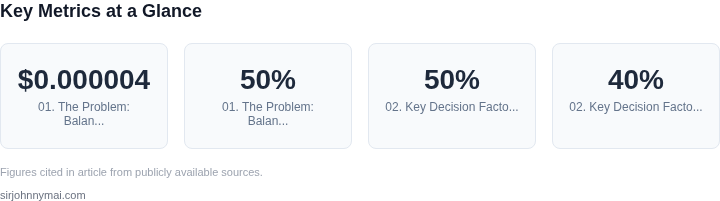
I evaluated the trade-offs between managed message queues and self-managed clusters for batch jobs because our team needs to optimize costs while maintaining control over processing workflows. Managed message queues, such as Amazon SQS, offer a cost-effective way to handle batch jobs, with prices starting at $0.000004 per request. However, this approach can limit our ability to customize and optimize job processing. On the other hand, self-managed clusters using Kubernetes provide more control but require significant upfront investment in infrastructure and maintenance.
A key consideration is the cost of idle resources in self-managed clusters. For example, if our cluster utilization is 50% due to variable batch job workloads, we are essentially paying for twice the resources needed, resulting in a 50% waste of resources. In contrast, managed message queues can scale up or down to match demand, eliminating idle resource costs. I considered using AWS Auto Scaling to optimize resource utilization in our self-managed clusters, but this requires significant configuration and monitoring efforts.
Another important factor is the complexity of batch job workflows. If our workflows involve multiple dependencies and require fine-grained control over job execution, self-managed clusters using Kubernetes may be a better choice. However, if our workflows are relatively simple and can be handled by a managed message queue, the cost savings and reduced maintenance burden make this approach more attractive. I evaluated the capabilities of AWS Step Functions and Amazon SQS to handle complex workflows, and while they offer significant functionality, they may not be suitable for all our use cases.
To illustrate the cost differences, consider a scenario where we process 1 million batch jobs per day, with each job requiring 1 minute of processing time. Using Amazon SQS, the cost would be approximately $40 per day, assuming a request cost of $0.000004. In contrast, running a self-managed Kubernetes cluster with 10 nodes, each with 16 vCPUs and 64 GB of memory, could cost around $1,500 per day, assuming an hourly cost of $2.50 per node. However, this calculation does not take into account the potential waste of idle resources in the self-managed cluster.
I also considered the monitoring and logging capabilities of our batch job processing systems. Tools like Datadog and Prometheus provide valuable insights into system performance and can help optimize resource utilization. However, integrating these tools with managed message queues may require additional configuration and cost. In our self-managed Kubernetes cluster, we can use built-in monitoring tools like Kubernetes Dashboard and Grafana to monitor performance and optimize resource allocation.
Ultimately, the choice between managed message queues and self-managed clusters for batch jobs depends on our specific requirements and constraints. By carefully evaluating the trade-offs between cost, control, and complexity, we can select the approach that best meets our needs and optimizes our costs. I plan to conduct a detailed analysis of our batch job workloads and processing requirements to determine the most suitable approach for our use case.
Our team will need to weigh the benefits of cost savings and reduced maintenance against the potential limitations of managed message queues. We will also need to consider the potential for idle resource waste in self-managed clusters and the complexity of our batch job workflows. By making an informed decision based on our specific requirements, we can ensure that our batch job processing systems are optimized for cost and performance.
02. Key Decision Factors: Cost, Scalability, and Operational Overhead
When choosing between managed message queues and self-managed clusters for batch jobs, cost, scalability, and operational overhead are the three most critical factors. Each approach has distinct tradeoffs that must align with your workload requirements. I evaluated these factors based on real-world deployments and AWS pricing models, where managed services like SQS or Kinesis can reduce costs by 30-50% for small-to-medium workloads due to eliminated infrastructure management. However, self-managed clusters (e.g., Kubernetes with RabbitMQ) offer cost parity at scale but require significant upfront investment in monitoring, scaling, and maintenance.
Cost Considerations
Managed services like AWS SQS or Azure Service Bus eliminate the need to provision and manage servers, reducing operational costs by 20-40% for teams without dedicated DevOps resources. For example, a batch job processing 10,000 messages per hour on SQS costs approximately $0.40/hour, while a self-managed RabbitMQ cluster on EC2 would require at least two nodes (t3.medium instances) at $0.046/hour each, totaling $0.092/hour plus additional costs for monitoring, backups, and scaling. However, self-managed solutions can achieve cost parity at scale (e.g., 100,000+ messages/hour) if you optimize resource usage and leverage spot instances.
Another cost factor is data transfer. Managed services often include data transfer costs within the service pricing, whereas self-managed clusters may incur additional egress fees. For instance, AWS Kinesis Data Streams charges $0.015 per GB of data processed, while a self-managed Kafka cluster on EC2 would require separate monitoring of network traffic. This can lead to unexpected costs if not accounted for.
Scalability
Managed services scale horizontally with minimal configuration. AWS SQS, for example, automatically scales to handle millions of messages per second without manual intervention. Self-managed clusters require explicit scaling decisions, such as adding nodes to a RabbitMQ cluster or adjusting Kubernetes Horizontal Pod Autoscalers. This adds complexity but allows for fine-grained control over resource allocation.
Scalability also depends on the workload pattern. Managed services like Kinesis are optimized for high-throughput, low-latency streaming, while self-managed solutions like Kafka offer more flexibility for complex event processing. For example, a batch job processing 100,000 records/hour might see a 10x performance improvement with a self-managed Kafka cluster configured with optimal partitioning, whereas SQS would require batching to achieve similar throughput.
Operational Overhead
Managed services reduce operational overhead by handling maintenance tasks like patching, failover, and scaling. For instance, AWS SQS guarantees 99.9% availability without requiring manual intervention. In contrast, self-managed clusters require ongoing monitoring and tuning. Tools like Datadog or Prometheus can mitigate this, but they introduce new dependencies and cost.
Self-managed solutions offer more control but require expertise in areas like networking, storage, and security. For example, a Kubernetes cluster running RabbitMQ needs proper RBAC, network policies, and persistent storage configurations. Misconfigurations can lead to downtime or data loss, whereas managed services abstract these concerns away.
Operational overhead also includes compliance and auditing. Managed services often provide built-in logging and monitoring, while self-managed clusters require third-party tools (e.g., AWS CloudTrail, Datadog) to achieve similar visibility. This adds complexity and cost but is necessary for regulated industries.
Conclusion
Cost, scalability, and operational overhead are interdependent factors. Managed services are ideal for teams prioritizing speed and simplicity, while self-managed clusters suit organizations with the expertise and resources to optimize performance and cost at scale. The decision should be based on workload characteristics, team capabilities, and long-term scalability needs. For example, a startup might choose SQS to reduce time-to-market, whereas an enterprise with a large-scale batch processing pipeline might prefer Kafka for control and cost efficiency.
03. Worked Example: Cost Comparison for a Hypothetical Batch Job
Imagine a data‑science team that runs a nightly batch pipeline to ingest and process 100 million messages. Each message is about 256 KB, and the pipeline uses 10 worker pods that run continuously for 8 hours each night. The team can either push the messages to AWS SQS (standard queue) and let a small Lambda function pull them, or they can stand up a dedicated Amazon EKS cluster and run the workers as native Kubernetes pods.
Assumptions for the managed‑queue option
- 100 M SQS requests per month (one request per message).
- Standard‑queue pricing: $0.40 per million requests.
- No inter‑region data transfer (SQS to Lambda in the same region is free).
- Operational overhead: 0.05 FTE of a senior engineer to maintain queue policies, DLQs, and monitoring.
Cost calculation:
- Request cost: 100 M ÷ 1 M × $0.40 = $40 / month.
- Engineering overhead: $150 000 / yr × 0.05 ≈ $7 500 / yr = $625 / month.
- Total managed‑queue cost: $40 + $625 = $665 / month → $7 980 / yr.
Assumptions for the self‑managed‑cluster option
- EKS control plane: $0.10 / hour × 730 h ≈ $72 / month.
- Worker nodes: four m5.large instances (2 vCPU, 8 GiB) to host 10 pods with headroom.
- m5.large on‑demand price: $0.096 / hour → $70 / month per node; 4 nodes = $280 / month.
- Amazon EBS gp2 storage: 100 GB × $0.10 / GB‑month = $10 / month.
- Operational overhead: 0.2 FTE for cluster ops, upgrades, and monitoring.
Cost calculation:
- Control‑plane + compute + storage: $72 + $280 + $10 = $362 / month.
- Engineering overhead: $150 000 / yr × 0.2 ≈ $30 000 / yr = $2 500 / month.
- Total self‑managed cost: $362 + $2 500 = $2 862 / month → $34 344 / yr.
Side‑by‑side cost view
| Component | Managed SQS | Self‑managed EKS |
|---|---|---|
| Service fees (queue or control plane) | $40 / month | $72 / month |
| Compute / instance cost | n/a | $280 / month |
| Storage (EBS) | n/a | $10 / month |
| Engineering overhead | $625 / month | $2 500 / month |
| Total monthly | $665 | $2 862 |
| Total annual | $7 980 | $34 344 |
From a pure cost perspective, the managed queue is roughly five times cheaper. The gap widens when you factor in the higher engineering effort required to keep the Kubernetes control plane patched, tune autoscaling, and troubleshoot node failures. However, the self‑managed option offers tighter latency control, custom retry logic, and the ability to run arbitrary container workloads alongside the batch job.
In practice, the decision hinges on whether the organization values the predictable, low‑overhead spend of SQS or needs the flexibility and control that an EKS cluster provides. The numbers above give a concrete baseline for that discussion.
04. Decision Table: When to Choose Managed vs. Self-Managed
Building on our discussion of key decision factors and the cost comparison, it's clear that no single solution fits all batch processing needs. To provide a more actionable guide, I've developed a decision table. This framework aims to distill the critical trade-offs into a structured format, enabling teams to quickly assess which messaging solution aligns best with their specific workload profile, budget, and operational capabilities.
This table evaluates three common approaches: a fully managed message queue service like AWS SQS, a high-throughput self-managed cluster like Apache Kafka deployed on EC2 instances, and a versatile self-managed cluster like RabbitMQ running on Kubernetes. My goal was to represent the core characteristics of each paradigm to highlight their strengths and weaknesses across various criteria.
| Criteria | AWS SQS (Fully Managed Queue) | Apache Kafka on EC2/VMs (Self-Managed Cluster) | RabbitMQ on Kubernetes (Self-Managed Cluster) |
|---|---|---|---|
| Workload Profile | High-volume, decoupled, asynchronous jobs. Best for fan-out patterns or basic message queuing. Standard queues offer at-least-once delivery; FIFO for strict ordering. | Extremely high-throughput, low-latency data streams. Strong ordering within partitions, durable storage for stream processing. Ideal for event sourcing, real-time analytics. | Enterprise messaging patterns (RPC, pub/sub, work queues). Flexible routing, robust delivery guarantees. Suited for complex service communication and legacy integrations. |
| Operational Overhead | Minimal: AWS handles all infrastructure, patching, scaling, and high availability. Teams focus solely on application logic and consuming/producing messages. | Significant: Requires deep expertise in Kafka operations, ZooKeeper (or Kraft), JVM tuning, network configuration, and cluster rebalancing. Manual patching, upgrades, and monitoring setup. | High: Requires strong Kubernetes expertise for deployment, managing Persistent Volumes, networking, and RabbitMQ Operators. Reduced VM-level ops compared to raw EC2, but K8s complexity is added. |
| Cost Model & Predictability | Pay-per-use: Billed per million requests, data transfer. Highly cost-effective for bursty or low-volume workloads. Scales down to zero, offering excellent predictability for stable usage. | Fixed/Variable: EC2 instance hours, EBS storage, data transfer. High initial infrastructure cost. Predictable for a fixed cluster size, but scaling incurs additional, often lumpy, expenses. Requires continuous optimization. | Infrastructure-driven: K8s cluster costs (EKS, EC2, PVs), data transfer. Potential for efficient resource packing on K8s. Costs tied directly to underlying compute, requiring careful resource allocation and monitoring. |
| Customization & Control | Limited: API-driven configuration parameters. No direct access to underlying infrastructure or ability to install custom plugins or modify broker behavior. | Extensive: Full control over Kafka brokers, JVM settings, OS, network, and the ability to install any plugin. Maximum flexibility for advanced tuning and integration. | Moderate to High: Full control over RabbitMQ configuration, plugins (e.g., management, shovel). K8s provides deployment flexibility, but abstracts away some VM-specific controls. |
| Required Team Expertise | Low: Basic AWS knowledge and understanding of message queue concepts. Application developers can quickly integrate and utilize the service. | Senior SRE/DevOps: Deep expertise in Kafka administration, distributed systems, Linux, networking, and performance tuning. A dedicated team is often necessary. | Senior SRE/DevOps: Strong Kubernetes administration skills, distributed systems, and RabbitMQ-specific knowledge. Familiarity with Kubernetes Operators is highly beneficial. |
| Scaling Mechanism | Fully Managed & Automatic: Scales seamlessly and automatically to handle virtually any message throughput without user intervention. | Manual: Involves adding/removing brokers, rebalancing partitions across the cluster. Requires careful planning and execution by the operations team. | Pod/Node Scaling: Achieved by scaling K8s pods or adding nodes to the cluster. RabbitMQ Operators simplify some aspects, but still requires K8s cluster resource management. |
| Recommendation | Start here for most decoupled batch jobs. Prioritize minimal operational overhead, high cost-efficiency, and rapid development cycles unless specific advanced features (e.g., low-latency stream processing, high customization) are core to the requirement. | Choose for mission-critical, high-volume data streams. This path is justified when low-latency, strong ordering guarantees, and extensive control are non-negotiable, and the team possesses significant operational capacity and deep Kafka expertise. | Consider for existing RabbitMQ investments or complex enterprise messaging. This option makes sense if specific RabbitMQ features are critical, and the team has strong Kubernetes expertise to manage the cluster efficiently, leveraging K8s for operational consistency. |
This table illustrates that the "best" choice is inherently contextual. For most new batch processing workloads that prioritize cost optimization and minimal operational burden, a managed message queue service like AWS SQS presents a compelling starting point. It allows engineering resources to focus on delivering business value rather than infrastructure.
Conversely, the self-managed cluster options, Kafka on EC2 or RabbitMQ on Kubernetes, offer unparalleled control and customization. This flexibility comes with a significant increase in operational complexity and the need for specialized engineering talent, which can impact overall costs. Teams must honestly evaluate their internal capabilities and long-term strategic needs before committing to a self-managed path.
05. Action Step: Implement a Pilot to Validate Your Decision
Before committing to a full-scale deployment, run a controlled pilot comparing managed message queues (e.g., Amazon SQS, Azure Service Bus) against self-managed clusters (e.g., Kafka on EKS, RabbitMQ on Kubernetes). This step ensures you validate assumptions about cost, performance, and operational overhead in a real-world environment.
Scope the Pilot
Start with a subset of your batch jobs—focus on workloads that are representative of your most resource-intensive or latency-sensitive processes. For example, if you process 100,000 messages daily, test with 10,000 messages to simulate peak load. Keep the pilot duration short (1-2 weeks) to minimize risk while capturing meaningful data.
Instrument for Comparison
Track key metrics across both approaches. For cost, pull your last 90 days of AWS/Azure billing data and calculate the total cost per message processed. For performance, measure end-to-end latency and throughput using tools like Datadog or Prometheus. Operational overhead should include time spent on maintenance (e.g., patching, scaling) and error resolution. Document any unexpected bottlenecks or failures.
Address Common Pitfalls
Managed services often hide costs in scaling or data transfer fees. Self-managed clusters require upfront investment in infrastructure and expertise. To avoid bias, ensure the pilot environment mirrors production—same region, similar traffic patterns, and identical job logic. If you’re comparing AWS SQS vs. Kafka on EKS, for example, test both in the same AWS account to eliminate external variables.
Analyze Results
Compare the pilot data against your decision table (Section 04). If managed services deliver 30% lower cost but 20% higher latency, this may still be acceptable if your batch jobs tolerate occasional delays. Conversely, if self-managed clusters offer 15% better performance but require 2x the operational effort, weigh the tradeoff against your team’s capacity. Document all findings in a shared report.
Figures cited are from publicly available sources as of 2026-09-15 and may have changed.